
Table of Contents
This post may contain affiliate links, meaning we may earn a small commission at no extra cost to you. We only recommend products we trust, and your support helps us continue creating helpful content.
If you are ready to Build a Website For Your Home Business, you might be feeling a little overwhelmed. I’ve been there! When I first started, I thought I needed a massive budget and a computer science degree to get online, but I quickly learned that isn’t the case.
I’ll be honest: I was completely overwhelmed by the technical side of things. I knew I had a great service to offer and a story to tell, but I had no clue how to actually build the “home base” for my business. I’d heard of things like HTML, CSS, and Dreamweaver, but they sounded like a foreign language to me.
At the same time, I had friends who were spending thousands of dollars to have graphic designers build them custom portfolios from scratch. I definitely didn’t have that kind of money in my budget!
Here is the secret I wish someone had told me then: You do NOT need a $5,000 budget to look like a million-dollar brand.
In 2026, it is incredibly inexpensive to achieve world-class results. I’m talking about launching a professional, high-speed site for less than the cost of a couple of pizzas. I started researching website builders, and while some were easy to use, they often felt “cookie-cutter.” They looked okay for a hobby, but they didn’t give me the professional edge I needed to stand out as a serious freelancer.
Luckily, I discovered the secret that successful side hustlers and pros use: Self-Hosted WordPress. It was the perfect middle ground—it gave me the high-end, “expensive” look I craved without needing to learn a single line of code or spend my entire savings account.
Why Your Business Needs “Digital Ownership”
Before we dive into the steps, you need to understand the 2026 landscape of the web. Today, you have two choices: You can rent your career, or you can own it.
- Renting (Wix, Squarespace, Canva Sites): These are “all-in-one” builders. They are easy to start, but you don’t own the platform. If they raise their prices or limit your features, you’re stuck paying high monthly fees forever.
- Owning (Self-Hosted WordPress): This is what I use. You own your data, your design, and your future. Best of all? It is significantly cheaper. By paying for your own hosting, you cut out the middleman and keep your overhead costs extremely low while getting 10x the power.
The best part about “owning” your site with WordPress is its multi-use flexibility. You aren’t locked into one type of business. You can use this exact same setup to build:
- A Freelance Portfolio to land high-paying clients.
- A Professional Coaching or Consulting Site to sell your expertise.
- A Digital Shop to sell e-books, printables, or templates.
- An Online Course Portal to host and sell your own video lessons.
- A Paid Newsletter or Membership Site (your own private Substack!).
- A Niche Authority Blog to earn through ads and affiliates.
If you start as a simple freelance portfolio today and want to add an online course next year, WordPress can do it all without you ever having to start over or pay for a new platform.
Note: For the rest of this guide, I am going to walk you through the steps using a blog setup as our example. However, the steps for getting your hosting, domain, and design ready are exactly the same regardless of which of these applications you choose!
Step 1: The Best Platforms to Build a Website For Your Home Business
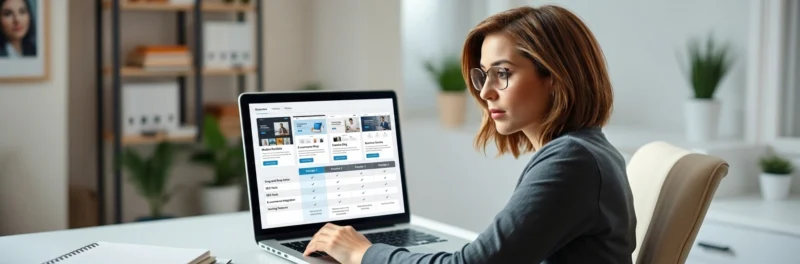
With so many options out there, it’s easy to get “analysis paralysis.” But in 2026, your choice should depend entirely on what you want your side hustle to become. Here is the breakdown of the top players for freelancers and creators:
The “Gold Standard” for Pros: WordPress.org
If your goal is to build a long-term brand, land high-paying clients, and eventually monetize through ads or affiliates, this is my #1 pick.
- The Power: It’s a “multi-use” engine. It handles portfolios, blogs, and booking systems equally well.
- The Control: You have 100% ownership. (Note: Always choose WordPress.org, not the limited .com version!).
The “Fast-Track” Portfolio: Hostinger AI Builder
If you need a professional-looking site live in the next ten minutes to show a potential client, Hostinger has an incredible AI builder.
- The Speed: You describe your business to the AI, and it generates a custom layout, images, and copy instantly.
- The Value: It’s the most budget-friendly way to get a professional “digital business card” online.
The Design-First Choice: Squarespace
If you are a photographer or a high-end designer and you only care about the visual “vibe” without needing complex features, Squarespace is a solid, easy-to-manage alternative. However, keep in mind that the monthly “rent” is higher than hosting your own site on WordPress.
Pro-Tip: Don’t let the word “WordPress” intimidate you. In 2026, it is no longer just for “techies.” With the right host, it’s a simple drag-and-drop experience that ensures you’ll never “outgrow” your website.
Step 2: Secure Your Digital Real Estate (Hosting & Domain)
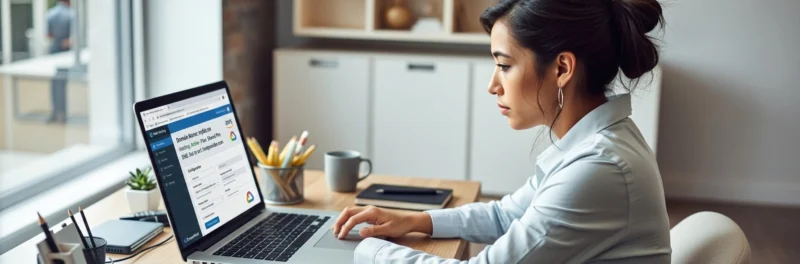
Now that you’ve picked your platform, it’s time to give your website a place to live. Think of hosting as the land you’re building your house on, and the domain name as your street address so people can find you.
Choosing a Host (Learn From My Mistakes!)
When choosing a hosting company, you want three things: reliability, affordability, and customer service that actually answers the phone (or chat!) when you’re panicking at 2:00 AM.
Over the years, I’ve had to switch hosting companies three times—and let me tell you, it is a total pain in the neck.
- The First Switch: The service was just plain terrible.
- The Second Switch: My site grew so fast that the server literally couldn’t handle the traffic.
- The Third Switch: My old host hiked their rates significantly without adding any new value.
In 2026, I have narrowed my recommendations down to the two best options for home business owners. One stands out as the ultimate value and tech leader, while the other remains a rock-solid classic.
My Top Recommendation: Hostinger
If you want the fastest, most beginner-friendly experience possible, I highly recommend Hostinger. They have completely disrupted the hosting world with their AI-powered tools.
When you sign up with Hostinger, you aren’t just getting a server; you’re getting a suite of tools that help you build your site in minutes. Their hPanel is much more intuitive than the old-school dashboards I used to struggle with, and their prices are some of the most competitive in the industry.
The Reliable Alternative: Bluehost
If you prefer a more traditional setup that has been a staple in the blogging community for decades, Bluehost is an excellent option. They offer a free domain name for your first year and have a very simple “one-click” installation process for WordPress that makes getting started a breeze.
Grabbing Your Domain Name
Once you’ve picked a host, you’ll need to purchase your domain name (like yourbusinessname.com). Both Hostinger and Bluehost allow you to buy the domain right through them to keep everything in one place.
In 2026, your domain name is your brand. To make sure you pick a winner, follow these simple rules:
- Keep it Simple: Avoid words that are hard to spell. If you have to spell it out over the phone, it’s too complicated.
- The .com is Still King: Even with hundreds of new extensions, most people instinctively type
.com. (Even I messed this part up!!) - Avoid Numbers and Hyphens: These often lead to typos and make your business look less established.
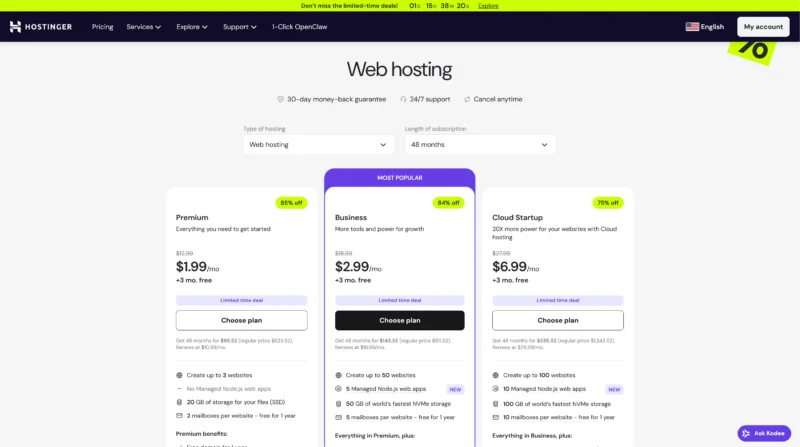
Pro-Tip: If you choose Hostinger, make sure to look at their “Business” plan. It usually includes a free domain, daily backups, and their full AI website builder suite, which will save you so much time and money as you launch!
Step 3: Use One-Click Tools to Build a Website For Your Home Business
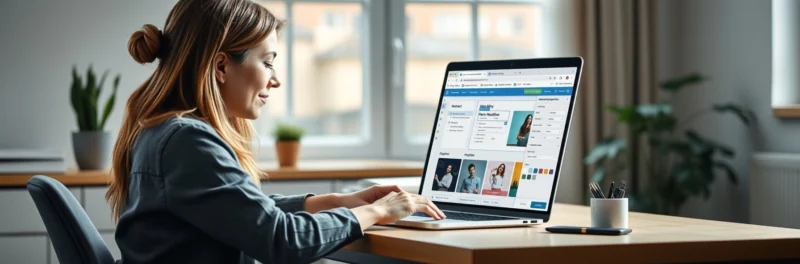
Once you have your hosting and domain secured, it’s time to actually put the pieces together.
I started this website back in 2009, and let me tell you—it was a different world. I actually needed a web programmer to help me connect my domain to my hosting and install the backend software. If you missed one step, your site just… wouldn’t work.
But in 2026? Building a site is as easy as setting up a new social media profile.
The Modern Way: Hostinger’s AI Onboarding
If you signed up with Hostinger, you are in luck. They’ve replaced the scary technical hurdles with an AI-guided setup.
When you first log in, you’ll be asked a simple question: “How do you want to build your site?” You’ll have two main paths:
- The WordPress Path (My Recommendation): Select “WordPress” and use their “One-Click Install.” You’ll just enter your site name and create a password, and Hostinger handles the rest in the background. No coding, no manual file uploads, just a progress bar that finishes in about 60 seconds.
- The Hostinger AI Builder: If you want a site that’s literally ready in minutes, you can describe your business to their AI generator. It will draft the layout, pick the images, and even write the initial “About Me” text for you. It’s a great starting point if you’re feeling stuck!
Log In and Explore Your Dashboard
Once the installation is complete, you’ll be given a link to your WordPress Admin Dashboard. This is your new home base!
If you chose the WordPress route (which is what I use to run this blog), your dashboard is where you’ll:
- Write your blog posts.
- Upload photos.
- Respond to comments.
- Check your traffic.
Pro-Tip: Don’t be afraid to click around! The beauty of Hostinger is that they include automatic daily backups. If you accidentally “break” a setting or delete a page while you’re exploring, you can restore your site to exactly how it looked an hour ago with just one click. It’s total peace of mind for beginners!
Step 4: Make Your Website Pretty (Without the Designer Price Tag)
When I first launched my blog, I took the traditional route: I hired a graphic designer to create a custom theme from scratch. While I loved the end result, it was pricey and took weeks to finalize.
If I were starting over in 2026, I would do things very differently. Today, you can get a “million-dollar look” for your home business in a single afternoon using the tools already built into your hosting.
My 2026 Strategy: Hostinger + Astra
If you’ve signed up for Hostinger, you have two incredible (and much cheaper) paths to a beautiful site:
- The AI Design Assistant: During your setup, Hostinger’s AI builder can generate a custom layout based on your business niche. It picks the colors, fonts, and even the initial images for you. It’s perfect if you want to be live now.
- The “Astra” Power Move (My Top Pick): If you are using WordPress, I highly recommend installing the Astra Theme. It is lightweight, lightning-fast (which Google loves in 2026), and has hundreds of “Starter Templates” you can import with one click.
I still have a soft spot for StudioPress and the Genesis Framework—they are rock-solid and great for SEO—but for most beginners today, Astra or the native Hostinger builders offer more “drag-and-drop” flexibility without needing to touch a line of code.
Getting a Professional Logo on a Budget
Your logo is the “face” of your business, but you don’t need to spend $500 to get a good one. In the age of AI, you can get a stunning, high-resolution brand identity for next to nothing. To help your site stand out, I suggest these three paths:
- Canva (The DIY King): In 2026, Canva’s AI-powered logo maker is so advanced that almost anyone can create a professional-looking brand identity in minutes. It’s what I use for most of my quick graphics today! It’s perfect because you can easily match your logo colors to your social media templates.
- Looka or Wix Logo Maker (The AI Specialists): If you want an AI to do the heavy lifting, tools like Looka are incredible. You simply type in your business name and your “vibe,” and the AI generates hundreds of custom logos. You only pay for the ones you love, and they provide a full brand kit with the correct file sizes for everything from your website to your business cards.
- Fiverr: If you have a very specific vision that requires a human touch, Fiverr is still a fantastic resource. You can find talented freelancers who will take your AI-generated ideas and “polish” them into a final masterpiece for a fraction of what an agency would charge. I’ve used them for various image projects over the years and have always been happy with the results.
Pro-Tip: Don’t get stuck in “perfection paralysis” with your design. Your website will evolve as your business grows. Pick a clean, simple theme like Astra on your Hostinger account, use an AI tool to grab a clean logo, and focus on the most important part: creating great content!
Step 5: The “Must-Have” Pages for Your Website
No matter what type of home business you’re launching, there are a few essential pages you need to have in place from day one. These pages build trust with your audience, tell search engines what your site is about, and—most importantly—protect you legally.
A. The Home Page
This is your digital front door. In 2026, attention spans are shorter than ever, so your Home Page needs to be lightning-fast (another reason I love Hostinger). Make sure it has:
- A Clear Value Statement: Within three seconds, a visitor should know exactly who you are and how you can help them.
- A Strong Call to Action (CTA): What’s the one thing you want them to do? Join your newsletter? Shop your products? Make it obvious!
B. The About Page
People buy from people, especially in the home business world. Use this page to show you’re a real person! Include:
- Your “Why”: How did you get started?
- Qualifications: Any awards, press coverage, or certifications.
- A Real Photo: Skip the AI-generated avatars here; use a professional, friendly headshot so people can connect with the face behind the brand.
C. The Contact Page
Don’t make people hunt for a way to reach you. At a minimum, include a simple contact form. In 2026, many business owners also include links to their primary social media profiles or a business-specific email address.
D. Terms of Service & Privacy Policy (The Legal Must-Haves)
If you collect email addresses (and you should!), the law requires you to have a Privacy Policy. With modern regulations like GDPR and new 2026 state-level privacy laws, you need to be transparent about how you handle data.
- Terms of Service: This explains the rules for using your site.
- Privacy Policy: This tells users what data you collect and why. I recommend using a tool like Termly or Cookiebot—they stay updated with the latest laws automatically so you don’t have to hire a lawyer.
E. Disclosure & AI Transparency Page
The FTC has become very strict in 2026 about how bloggers and businesses disclose their relationships.
- Affiliate Disclosure: If you use affiliate links (like the ones for Hostinger), you must clearly disclose that you may earn a commission.
- AI Disclosure: If you use AI to generate your content or images, it’s a 2026 best practice to have a “Human + AI” transparency statement. It builds incredible trust with your audience!
Pro-Tip: You don’t need to write these from scratch. You can find excellent, lawyer-vetted templates at Businessese. They specialize in “translating legalese” for online entrepreneurs, so you can get protected and get back to work!
Step 6: Get Traffic to Your Website

Now that you have your beautiful Hostinger site live and your essential pages ready, it’s time to let the world know you exist!
Back in the day, “traffic” just meant trying to rank on Google. But in 2026, we use a Search Everywhere Optimization (SEO) strategy. People are searching for answers on TikTok, YouTube, and AI assistants just as much as they are on traditional search engines.
Here are the best ways to get “eyeballs” on your new home business today:
1. Master the 2026 SEO Basics
Instead of just “submitting to directories,” you want to make sure the AI and search crawlers can find you instantly.
- Google Search Console: This is a must. It tells Google you’re open for business and shows you exactly what keywords people are using to find you.
- Focus on “Helpful Content”: In 2026, search engines prioritize human experience. Use “I” and “you,” share your personal stories (just like I do!), and answer your readers’ questions directly.
- FAQ Sections: Always include a “Frequently Asked Questions” block at the end of your posts. This helps you show up in those “AI Overviews” at the top of search results!
2. Choose Your “Big Three” Social Platforms
Don’t try to be everywhere; you’ll burn out. Instead, pick the platforms that fit your brand’s “vibe”:
- Pinterest: Still the #1 traffic driver for many home businesses. It’s more of a visual search engine than social media. My #1 choice!!
- TikTok & Instagram Reels: Short-form video is the fastest way to go viral in 2026. Share “behind-the-scenes” of your business or quick 15-second tips.
- YouTube: The best place for evergreen authority. One good tutorial video can send traffic to your site for years!
- LinkedIn: If you are a Virtual Assistant or B2B freelancer, this is your gold mine for high-paying clients.
3. Start Your Email List (Your Only “Owned” Audience)
If social media disappeared tomorrow, would you still have a business? This is why I am obsessed with email marketing.
- Kit (formerly ConvertKit): My top recommendation for creators. It’s built for bloggers and makes automation easy.
- MailerLite: A fantastic, budget-friendly option if you’re just starting out and want a clean, simple interface.
- The Lead Magnet: Give people a reason to sign up! Offer a free checklist, a mini-ebook, or a discount code to grow your list fast.
You can learn more at How to Create a Newsletter That Grows Your Business
4. The Power of Giveaways and Community
Hosting a giveaway is still a lightning-fast way to boost your readership. In 2026, we focus on “Viral Giveaways” using tools like KingSumo or Gleam, which reward people with extra entries for sharing your site on social media.
Your Future Business Starts With a Single Click
If there is one thing I’ve learned since starting my own journey, it’s this: The “perfect time” to start never actually arrives. There will always be another technical trend to learn or a new social media platform to master. But the most successful freelancers and side hustlers I know didn’t wait until they were “experts” to get online. They secured their digital real estate, built a simple home base, and grew from there.
By choosing to build a home business website using a platform like Hostinger or Bluehost, you are doing more than just putting up a portfolio. You are claiming ownership of your career. You are creating a space that works for you 24/7, reaching clients and customers while you sleep.
Whether you are launching a freelance portfolio to land your first $1,000 client or starting a blog to share your passion with the world, the steps are the same:
- Secure your hosting.
- Install WordPress.
- Make it pretty.
- Start creating.
It is incredibly inexpensive, it’s easier than it’s ever been in the age of AI, and it’s the best investment you will ever make in yourself.
Your 2026 Success Toolbox: Build a Website For Your Home Business
To help you hit the ground running, I’ve curated the top-rated tools and resources for 2026. These are the “shortcuts” that bridge the gap between where you are now and your first $3,000 month as a professional freelancer or side hustler.
Digital & Business Essentials
- Hostinger (Top Recommendation): The gold standard to Build a Website For Your Home Business.
- Budget-Friendly Hosting: You can get started for as low as $1.99/mo for the Premium plan or $2.99/mo for the Business plan (which includes 50 GB of NVMe storage).
- Risk-Free Starting: All plans come with a 30-day money-back guarantee and 24/7 support, so you can build with total peace of mind.
- Canva Pro: Essential for creating your professional logo, portfolio galleries, and social media graphics to market your new business.
- Astra Theme: My favorite lightweight WordPress theme that makes your site look like you spent thousands on a designer for a fraction of the cost.
- Looka AI Logo Maker: If you want an AI to do the heavy lifting, use this tool to generate hundreds of custom logo concepts in seconds.
Professional Training & Launch Tools
- Free Blogging E-Book: My step-by-step guide to turning your new website into a consistent stream of passive income through ads and affiliates.
- Businessese Legal Templates: Don’t skip the “boring” stuff—grab lawyer-vetted Privacy Policy and Terms of Service templates to protect your new business legally.
Quick Cash & Financial Tools
- Survey Junkie: The most reliable platform for earning extra cash to cover your business startup costs in your spare moments.
- Swagbucks ($5 Bonus): Join through this link to get an instant $5 head start—this can literally cover your first two months of Hostinger’s Premium hosting