
Table of Contents
This post may contain affiliate links, meaning we may earn a small commission at no extra cost to you. We only recommend products we trust, and your support helps us continue creating helpful content.
Blogging can be an incredibly rewarding way to share your ideas, build an audience, and even generate a full-time income online. Trust me, I’ve seen it happen for thousands of people! But here is the truth: many bloggers unknowingly make small, avoidable mistakes that act like a “parking brake” on their blog’s growth and earning potential.
I know how it feels. When you first start, you’re wearing all the hats—writer, editor, tech support, and social media manager. It’s easy to get overwhelmed and miss the forest for the trees.
The reality is that most successful blogs—the ones you see making five or six figures a month—were not built overnight. They grew through consistent effort, smart strategies, and a lot of trial and error.
When I first started blogging, I made several of the blogging mistakes on this list myself. For example, I tried monetizing my blog way too early. I was slapping ads and affiliate links everywhere before I even had a steady stream of readers. The result? I made almost no money, and my blog felt cluttered, desperate, and overly promotional. It wasn’t a good look!
Once I shifted my focus to creating truly helpful content and growing my traffic first, the income followed naturally. If you want your blog to succeed and actually pay your bills, avoiding these pitfalls can make a massive difference.
In this guide, we’re going to dive deep into the most common blogging mistakes that could be costing you money—and I’ll show you exactly how to pivot so you can start seeing the results you deserve.
What Are the Most Common Blogging Mistakes?
If you feel like you’re working 40 hours a week on your blog but your bank account isn’t reflecting that effort, you aren’t alone. The most common blogging mistakes include:
- Monetizing too early before building trust.
- Ignoring SEO (Search Engine Optimization) basics.
- Poor formatting that makes your content hard to read on mobile.
- Weak internal linking that kills your site’s “flow.”
- Promoting products you don’t actually use or believe in.
These mistakes do more than just lower your traffic; they harm the trust you have with your readers. And in the blogging world, trust is your currency. Avoiding these problems now will help your blog grow faster and improve your long-term earning potential.
1. Monetizing Too Early (The “Clutter” Trap)
One of the biggest blogging mistakes new bloggers make is trying to turn their site into a cash machine before they even have an audience.
I totally get it. You see people posting their “How I made $10,000 blogging” reports, and you want a piece of that action! But filling a brand-new blog with “Join my list!” pop-ups, flashing sidebar ads, and aggressive affiliate links can actually kill your growth before it starts.
Why this hurts your blog
When a reader lands on your site for the first time, they are asking one question: “Is this person going to help me solve my problem?” If they are immediately bombarded with ads, they stop seeing you as an expert and start seeing you as a salesperson. This leads to:
- Lower reader trust: It feels “spammy.”
- High bounce rates: People leave because the site is hard to navigate.
- Minimal earnings: If you only have 500 visitors a month, display ads will literally only earn you pennies. Is it worth ruining your user experience for 12 cents? Probably not!
How to fix it
Focus on the “Value First” framework. For the first few months, your goal should be:
- Creating high-quality content that answers your readers’ deepest questions.
- Growing your organic traffic by understanding what people are searching for.
- Building a community through comments and social media.
The Pro Strategy: Instead of cluttering your site with low-paying ads, focus on a high-quality foundation. I always recommend starting with a reliable, fast host so your site looks professional from day one. I personally love Hostinger because they are affordable for beginners but powerful enough to handle your growth once that traffic starts rolling in.
Once you have consistent traffic (think 5,000+ sessions a month), you can start layering in affiliate marketing and sponsored posts. By then, your readers will trust your recommendations because you’ve already proven your value!
2. Ignoring Internal Linking (The “Dead End” Mistake)
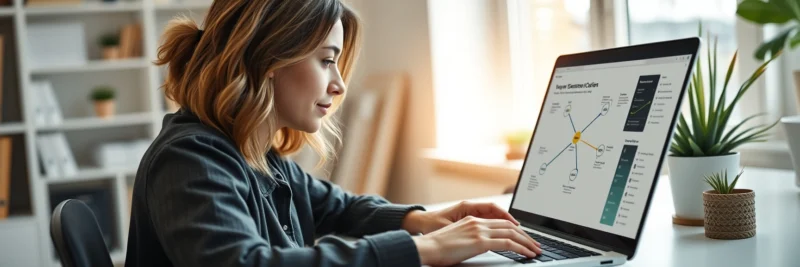
This is one of those blogging mistakes that is so easy to fix, yet so many people overlook it. Internal linking is simply the act of linking from one of your blog posts to another post on your own site.
Think of your blog like a spiderweb. If every post is a separate strand that isn’t connected to anything else, the web falls apart. But if you connect them, the web becomes strong.
Why internal linking matters
Search engines like Google use links to “crawl” your site. If a post has no internal links pointing to it, Google might struggle to find it or rank it.
More importantly, it’s about the User Experience (UX). If someone is reading your post about “How to Save Money on Groceries,” they would probably love to read your post about “Meal Prepping for Beginners.” If you don’t link to it, they’ll just finish the article and leave your site.
Strong internal linking will:
- Improve your SEO rankings: It spreads “link juice” across your site.
- Increase “Time on Site”: This tells Google your content is valuable.
- Reduce Bounce Rate: You’re giving readers a reason to stay.
How to fix it
Make it a habit! Every time you write a new post, aim to include at least 3 to 5 internal links to older, related content.
Related articles: How to Start a Blog (2026 Guide for Beginners)
For example, if you are writing about blogging mistakes, you should definitely be linking to your posts about:
- How to find your blogging niche.
- Step-by-step SEO for beginners.
- How to set up your email list.
This keeps your readers in your “ecosystem” longer, which makes them much more likely to eventually click an affiliate link or sign up for your newsletter.
3. Blogging Without a Content Strategy (The “Throwing Spaghetti” Method)

Early on, I used to just wake up, drink my coffee, and write whatever I felt like that day. One day it was a recipe; the next day it was a rant about my dog. While that’s fun for a personal diary, it’s one of those major blogging mistakes if you actually want to make money.
If you are “throwing spaghetti at the wall” to see what sticks, you’ll end up with a messy wall and no traffic.
Problems with random blogging
When you don’t have a plan, you run into three big issues:
- No Search Traffic: You aren’t targeting keywords that people are actually searching for.
- No Topical Authority: Google doesn’t know what you’re an expert in. If you talk about everything, you’re an expert in nothing.
- Confused Readers: If I follow you for “Budgeting Tips” and you start posting about “DIY Birdhouses,” I’m going to unsubscribe.
How to fix it
You need a “North Star.” Every post you write should serve a purpose. Before you hit publish, ask yourself: Does this help my specific audience solve a problem?
Create a Simple Content Plan:
- Pick 3–5 “Buckets”: These are your core topics (e.g., Frugal Living, Side Hustles, Investing).
- Do Keyword Research: Use tools like Rank Math or Ahrefs to see what people are asking.
- Use a Newsletter: Don’t just wait for people to find you on Google. Start building an email list early! This is the only audience you truly “own.” I highly recommend MailerLite for this—it’s incredibly user-friendly, and their automation features make it easy to send your new “strategic” posts straight to your readers’ inboxes.
By having a plan, you ensure that every hour you spend writing is actually moving the needle toward a profitable blog.
4. Not Using SEO-Optimized Images (The “Invisible Traffic” Mistake)
I see this all the time! A blogger spends six hours writing a masterpiece, finds a beautiful photo to go with it, and then just drags and drops it into the post without a second thought.
If you aren’t optimizing your images, you are essentially leaving “free” traffic on the table. Images aren’t just there to look pretty; they are a vital part of your SEO strategy. Google has an entire search engine dedicated just to images, and if yours are set up correctly, they can drive thousands of extra visitors to your site every single month.
Why Your Images Are Currently Costing You Money
Most people think image optimization is just about “making the page look nice.” But when you ignore the technical side, you run into three major problems that hurt your bottom line:
- Slow Load Times: If you upload a 5MB photo straight from your smartphone, your page will load at a snail’s pace. In 2026, readers (and Google) have zero patience for slow sites. If your site doesn’t load in under 2 seconds, people will “bounce” back to the search results, and you’ll lose the affiliate commission you were about to earn.
- Wasted SEO Potential: Google’s “crawlers” are smart, but they can’t actually “see” what’s in a photo. They rely on the data you provide to understand what the image represents.
- Accessibility Issues: Not everyone views your blog the same way. Readers with visual impairments use screen readers to understand your content. If your images aren’t optimized, you’re making your site less inclusive.
Common Image Mistakes I See Beginners Make
Before we fix it, check if you’re guilty of these “quick-upload” habits:
- Generic File Names: Uploading an image named
IMG_5432.jpg. This tells Google absolutely nothing. - Skipping Alt Text: Leaving the “Alt Text” box blank in WordPress.
- Ignoring Dimensions: Uploading a 4000px wide image when your blog only displays it at 800px wide.
How to Fix Your Image Strategy for Maximum Traffic
To stop making these blogging mistakes, you need to implement a “3-Step Image Workflow” every time you hit publish:
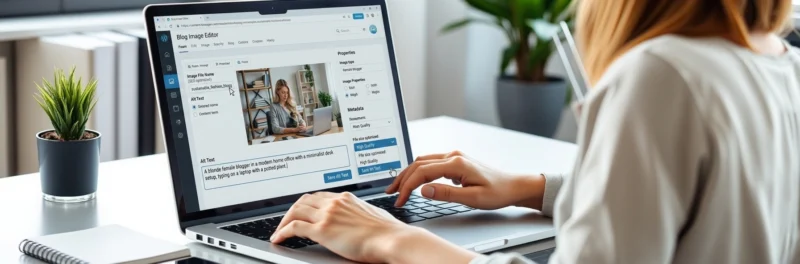
1. Rename the File Before You Upload Never, ever upload a file with the default camera name. If you have a photo of a woman working on a laptop at a kitchen counter for your “Work from Home” post, rename the file to woman-working-from-home-laptop.jpg. This gives search engines their first clue about the content.
2. Master the “Alt Text” The Alt Text (Alternative Text) is the most important SEO field for images. You want to describe the image accurately while naturally including your focus keyword.
- Bad Alt Text: “Blogger”
- Good Alt Text: “A woman sitting at her home office desk using her laptop to avoid common blogging mistakes.”
3. Compress and Resize This is the secret to a lightning-fast blog. Use a tool like TinyPNG or a WordPress plugin like ShortPixel to “shrink” the file size without losing quality. You want your images to be under 100KB whenever possible.
Pro Tip for Faster Growth: High-quality images require a high-quality host to serve them up quickly to your readers. This is another reason I recommend Hostinger. Their servers are optimized for speed, which means even if your posts are image-heavy, they’ll still load fast—keeping your readers happy and your SEO rankings high.
5. Poor Blog Post Formatting (The “Wall of Text” Trap)
Have you ever clicked on a blog post from Pinterest or Google, only to see huge, dense blocks of text that look like a college textbook? What did you do?
If you’re like 99% of internet users, you probably hit the “back” button immediately.
In the blogging world, readability is just as important as the actual writing. In 2026, the majority of your readers are visiting your site on a mobile phone while they are waiting in line for coffee or sitting on the couch. If your content isn’t “scannable,” you are losing money every single day.
Why Poor Formatting is Killing Your Conversions
When a reader sees a giant paragraph, their brain registers it as “work.” They don’t want to work; they want answers! Poor formatting leads to:
- High Bounce Rates: People leave within seconds because the page looks overwhelming.
- Lower Affiliate Clicks: If they can’t find your recommendations quickly, they won’t click your links.
- Poor Mobile Experience: What looks like a 4-line paragraph on a desktop computer looks like a 20-line block on an iPhone.
Signs Your Formatting Needs a Makeover
Check your recent posts for these red flags:
- Paragraphs longer than 3-4 sentences.
- A lack of H2 and H3 headings to break up different sections.
- No “White Space”: Your text is crammed together with no room to breathe.
- Monotonous Text: Everything is the same font size and weight, with no bolding or italics to highlight key points.
How to Master the “Look” for Better Engagement
To fix these blogging mistakes, you need to write for “scanners.” Most readers will scan your headings and bullet points before they decide to read the full sentence. Here is how to make your blog look professional:
1. The “Two-Sentence Rule” Try to keep your paragraphs extremely short. One, two, or three sentences is usually the sweet spot. This creates “white space” on the screen, which makes the reading experience feel fast and breezy.
2. Use Strategic Headings (H2s and H3s) Think of your headings as a map. A reader should be able to scroll through your post and understand exactly what it’s about just by reading the headings. Plus, including your blogging mistakes focus keyword in these headings is great for SEO!
3. Embrace Bullet Points and Numbered Lists Whenever you find yourself listing three or more things, use a bulleted list. It breaks up the visual monotony and makes the information much easier to digest.
4. Bold Your “Power Statements” Use bold text to highlight the most important parts of a paragraph. This draws the reader’s eye to the “meat” of your content.
5. Add “Pattern Interrupters” Break up long stretches of text with images, charts, or “Pro Tips” in call-out boxes. This keeps the reader’s brain engaged so they don’t go on autopilot and scroll right past your affiliate links.
Pro Tip for Better Design: While great formatting starts with your writing, it’s also influenced by your site’s theme and speed. Using a fast, lightweight setup on Hostinger ensures that your beautifully formatted posts load instantly, preventing that “stutter” that happens on slow servers.
Remember, the longer you can keep a reader on your page, the more likely they are to sign up for your MailerLite newsletter or click on your recommended products!
6. Selling Do-Follow Links (The “Google Death Penalty” Mistake)
When your blog starts getting traffic, your inbox will suddenly fill up with emails from “SEO Agencies” offering you $50, $100, or even $500 to publish a guest post with a specific link. It sounds like the easiest money you’ll ever make, right?
Stop right there. Selling “do-follow” links is one of the most dangerous blogging mistakes you can make.
Why This is a “Site-Killer”
Search engines like Google use links as “votes of confidence.” When you link to another site with a standard (do-follow) link, you are telling Google, “I trust this site and vouch for its quality.” If Google catches you selling these “votes,” they consider it a violation of their Webmaster Guidelines. They view it as a way to manipulate search results.
If you get caught, the consequences are brutal:
- The Manual Penalty: Google can manually “de-index” your site, meaning your blog disappears from search results entirely.
- Loss of Authority: Even if you aren’t de-indexed, your rankings for every post can plummet.
- Long-Term Damage: It can take years of “link cleaning” to regain Google’s trust.
How to Fix It (The Professional Way)
You can still accept sponsored content and get paid for your work, but you must do it the right way.
- Use the Correct Link Attributes: Every time you are compensated for a link (whether it’s cash, a free product, or a gift card), you must use the
rel="sponsored"orrel="nofollow"tag. This tells Google, “Hey, this is a paid partnership, so don’t count this as an organic vote.” - Vet Your Partners: Don’t link to shady gambling sites or “essay writing” services. Only partner with brands that actually benefit your readers—like Hostinger for their web needs or MailerLite for their email growth.
- Prioritize Your Readers: If a sponsored post feels like junk, don’t publish it. Your site’s reputation is worth way more than a $100 quick buck.
7. Breaking Giveaway Rules (The Legal & Platform Mistake)
Giveaways are an incredible way to grow your MailerLite email list and get people excited about your brand. But many bloggers treat giveaways like a “Wild West” where anything goes.
Ignoring the rules of giveaways is one of those blogging mistakes that can lead to your social media accounts being banned or, worse, legal trouble with the FTC (Federal Trade Commission).
Common Giveaway Mistakes I See
- Ignoring Platform Policies: Did you know that on Facebook and Instagram, you aren’t technically allowed to ask people to “tag 10 friends” or “share on your timeline” as a requirement for entry? Doing this can get your account flagged for spam.
- Lack of Disclosures: If a brand provided the prize for the giveaway, you must disclose that you are working with them.
- Vague Rules: Not stating when the giveaway ends, who is eligible (e.g., “US only, 18+”), or how the winner will be contacted.
Why This Hurts Your Reputation
If a giveaway feels “rigged” or unorganized, your readers will lose trust in you. If they see you’re breaking platform rules, they’ll stop engaging with your content because they don’t want to get flagged for spam either!
Best Practices for a Successful Giveaway
To avoid these blogging mistakes, follow these steps:
- Write “Official Rules”: Create a simple page on your blog that lists the start/end dates, eligibility, and the method of selecting a winner.
- Use a Tool: Use a reputable tool like Rafflecopter or Gleam. These tools help automate the entry process and ensure everything is “above board.”
- The “No Purchase Necessary” Rule: In many places, requiring a purchase to enter a giveaway turns it into an illegal lottery. Always keep entries free!
- Focus on the Goal: Don’t just give away an iPad to get random followers. Give away something your target audience wants (like a blogging consultation or a year of hosting) so you attract the right people to your list.
Pro Tip: Use your giveaway as a chance to grow your most valuable asset—your email list. Encourage people to sign up for your MailerLite newsletter as an entry method. This turns a one-time visitor into a long-term reader!
Let’s bring this home. These final three sections are the “secret sauce” of a high-converting blog. We’re moving from the technical side into the psychology of blogging, which is where the real money is made.
8. Damaging Your Reputation With Readers (The “Trust” Mistake)
Your reputation is the single most valuable asset your blog has. You can have the fastest hosting with Hostinger and the best SEO, but if your readers don’t like or trust you, they won’t buy from you. Period.
I see so many talented writers make the blogging mistake of treating their comment section or social media like a battlefield. One snarky reply or one “know-it-all” comment can permanently alienate a reader who might have been a fan for life.
Why Your Reputation is Your Bank Account
In the world of personal finance and lifestyle blogging, people follow people, not websites. If you come across as unhelpful, defensive, or—worst of all—dishonest, your “brand” takes a hit.
- Negative Word of Mouth: People talk! A bad experience can spread to Facebook groups and Reddit.
- Lower Engagement: If you’re rude to one commenter, ten others will decide it’s not worth their time to engage with you.
- Lost Opportunities: Brands look at how you interact with your audience before offering you those high-paying sponsored deals.
How to Build a “Gold-Standard” Reputation
To avoid these blogging mistakes, you need to lead with empathy and professionalism:
- The “24-Hour Rule”: If a comment makes you angry, wait 24 hours before replying. Usually, by then, you’ll realize it’s not worth the drama.
- Be Obsessively Helpful: Answer the “simple” questions. If someone asks a question you’ve answered in a post, don’t just say “Read the post.” Instead, give them a brief answer and then link to the post for more detail.
- Own Your Mistakes: If you get a fact wrong or a link is broken, thank the reader who pointed it out and fix it immediately. Transparency builds massive trust.
9. Not Using Calls to Action (The “Passive Blogger” Mistake)
This is one of the most common blogging mistakes that keeps bloggers broke. You write a 3,000-word masterpiece, the reader loves it, they get to the bottom, and… nothing. They close the tab and go back to scrolling TikTok.
If you don’t tell your readers exactly what to do next, they will do nothing. A “Call to Action” (CTA) is simply a clear instruction that guides your reader toward the next step in their journey with you.
Why Silence is Costing You Money
Every post on your blog should have a goal. Without a CTA, you are wasting your hard-earned traffic.
- No List Growth: You aren’t getting people onto your MailerLite list.
- Lower Affiliate Income: You aren’t reminding people that the tools you mentioned (like Hostinger) are there to help them.
- Higher Bounce Rates: Readers leave because you didn’t give them a “next chapter” to read.
How to Create CTAs That Actually Work
You don’t have to be pushy. A great CTA feels like a helpful suggestion.
- The Newsletter Hook: Instead of “Sign up for my email,” try “Want my free checklist on how to avoid these blogging mistakes? Join 5,000+ others on my list!”
- The “Deep Dive” Link: At the end of a section, say “If you enjoyed this, you’ll love my full guide on [Internal Link Topic].”
- The Question: End your post with a question to encourage comments. “Which of these mistakes have you made? Let’s chat in the comments!”
10. Promoting Products You Don’t Believe In (The “Sell-Out” Mistake)

We saved the biggest for last. This is the king of all blogging mistakes.
When you first start seeing affiliate commissions roll in, it’s tempting to start promoting everything. A random kitchen gadget? Sure! A sketchy crypto app? Why not!
Stop. If you promote products just for the commission, your readers will smell it from a mile away. Once you lose that “authentic friend” status, it is incredibly hard to get back.
Why Authenticity is Your Secret Weapon
The most successful bloggers only promote products they have actually used, tested, or thoroughly researched.
- Higher Conversion Rates: When I tell you that I use MailerLite because it’s the easiest way for beginners to start an email list, you know I mean it. That sincerity converts better than any “salesy” pitch ever could.
- Audience Loyalty: My readers know I won’t lead them astray. That trust means they’ll click my links for years to come, not just once.
How to Stay Authentic (And Profitable)
- The “Best Friend” Test: Would you recommend this product to your best friend or your mom? If the answer is no, don’t put it on your blog.
- Be Honest About Cons: No product is perfect. Mentioning a small downside to a tool (like “The free version of this tool has a limit”) actually makes your review more believable.
- Focus on Value: Only promote things that solve a problem for your readers.
Frequently Asked Questions (FAQ)
What are the biggest blogging mistakes new bloggers make?
The most common blogging mistakes for beginners are usually technical—like ignoring SEO or not optimizing images—and strategic, such as trying to monetize far too early before building a loyal audience.
How long does it take for a blog to make money?
Most blogs start seeing their first “real” income within 6 to 12 months. This depends heavily on how much time you spend avoiding these common blogging mistakes and focusing on high-quality, SEO-optimized content.
Should I focus on traffic or monetization first?
Always focus on traffic and trust first! Without a steady stream of readers who trust your advice, your monetization efforts (like ads and affiliate links) will fall flat.
Can blogging still be profitable in 2026?
Absolutely! In fact, as more people look for authentic “human” advice over AI-generated noise, personal blogs are more valuable than ever. Using reliable tools like Hostinger for your site’s foundation is the first step.
How often should I check for internal linking opportunities?
I recommend doing a “link audit” once a month. Go back to your older, high-traffic posts and see if you can link to your newer content. It’s one of the easiest ways to fix old blogging mistakes.
Do I really need an email list from day one?
Yes! Social media algorithms change, but you own your email list. Using a service like MailerLite allows you to stay in direct contact with your most loyal fans.
Your Path to a Profitable Blog Starts Today
Success in the blogging world doesn’t come from being perfect—it comes from being consistent and having the courage to learn from your blogging mistakes.
If you looked at this list and realized you’ve been doing five or six of these things “wrong,” don’t panic! In fact, you should be excited. Why? Because you just identified exactly what has been holding you back. By cleaning up your SEO, focusing on a better reader experience, and staying authentic with your recommendations, you are already miles ahead of 90% of the blogs on the internet.
Remember, your blog is more than just a hobby—it’s a business. And like any successful business, it requires the right foundation and a clear strategy. Whether that means switching to a faster host like Hostinger to boost your SEO or finally starting your email list with MailerLite, every small change you make today compounds into massive results a few months from now.
You have the tools, you have the plan, and you have the drive. Now, it’s time to stop overthinking and start creating. I’ve been where you are, and I can tell you from experience: the freedom of a successful blog is worth every bit of the effort.
Now, I want to hear from you! Which of these blogging mistakes was the biggest “lightbulb moment” for you today? Or is there a mistake you made that I missed? Let’s chat in the comments below—I read every single one!
Your 2026 Blogging Success Toolbox: Recommended Resources
To help you hit the ground running and avoid these costly blogging mistakes, I’ve curated the top-rated tools and platforms for 2026. These are the “shortcuts” I use to bridge the gap between a hobby blog and a profitable business that brings in a full-time income.
Technical & Growth Essentials
- Hostinger (Top Recommendation): The gold standard for building a fast, professional blog. It’s secure, incredibly budget-friendly for new bloggers, and their 2026 AI tools make technical setup a breeze. Don’t let a slow site kill your SEO!
- MailerLite: My favorite tool for building an email list. It is user-friendly, has powerful automation, and ensures you “own” your audience so you never have to worry about social media algorithm changes.
- Canva Pro: Essential for creating SEO-optimized images, Pinterest pins, and professional lead magnets. High-quality visuals are the key to keeping readers on your page longer.
SEO & Strategy Tools
- Rank Math SEO: The best WordPress plugin for tracking your keyword density and ensuring your posts are technically perfect before you hit publish.
- Google Search Console: A free and vital tool to help you see exactly which keywords are bringing people to your site and to monitor your internal linking health.
Quick Cash & Startup Funding
- Survey Junkie: The most reliable platform for earning extra cash in your spare moments. It’s a great way to cover your initial blogging startup costs like hosting and domain names.
- Swagbucks ($5 Bonus): Join through this link to get an instant $5 head start—perfect for paying for your first month of specialized blogging tools!
Now it’s your turn! Which of these mistakes have you struggled with the most? Drop a comment below and let’s help each other grow!