
Table of Contents

This post contains affiliate links. If you click through and buy something, I may earn a small commission — at no extra cost to you. I only recommend tools I’ve actually used or thoroughly researched.
I’ve watched too many people spend a full weekend agonizing over which blogging platform to use, then never actually publish anything. The platform matters less than you think at the start, and more than you think six months in.
Here’s the thing nobody tells you upfront: the wrong platform doesn’t stop you from blogging. It stops you from earning from it later. That’s the trap. Everything feels fine for the first few months, then you go to add an affiliate link, or set up ads, or install a plugin you actually need, and suddenly you’re boxed in by a decision you made in five minutes on day one.
I run thesidehustler.blog on self-hosted WordPress. I didn’t agonize over it, but I did look at the alternatives first, and every one of them had a catch that would have cost me later. So here’s the honest version of that comparison, the one I wish someone had given me.
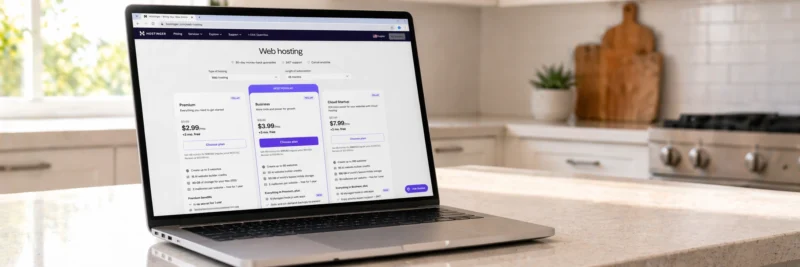
If you want the short version: self-hosted WordPress on Hostinger is the one to pick, plans start around $2.69/month on a longer term and your domain’s free. The rest of this post explains why, plus a fair look at every alternative, in case your situation is genuinely different from most.
The Best Blogging Platforms in 2026
1. WordPress.org (Self-Hosted): Best Overall for Serious Bloggers
Cost: Free software, requires paid hosting (~$2.69–$10/month) Best for: Anyone who wants to monetize, grow, and own their blog long-term
Here’s a stat that stops most people short: WordPress.org powers over 40% of every website on the internet. Not blogs. Every website. News sites, small businesses, Fortune 500 companies, this blog. That’s not an accident, and it’s not because WordPress is the flashiest option on this list. It’s the free option that never boxes you in.
You install the software on your own hosting, and from that point on, it’s genuinely yours. Nobody can shut it down. Nobody restricts how you monetize. Want to run affiliate links, display ads, sell your own products, all three at once? Go ahead. There are thousands of free themes and plugins, so whatever you want to build, someone’s already made a tool for it. And when you install Rank Math and get serious about SEO, you have full control over every setting that matters, nothing’s locked behind a paywall or a platform decision made by someone else.
The catch, and I’ll be straight about it: you pay for hosting separately, and there’s more setup than a fully hosted platform. It’s not actually difficult, Hostinger has a WordPress auto-installer that has you live in minutes, but it is a step that Wix or Squarespace skip entirely. If you want zero technical involvement whatsoever and have no interest in ever monetizing seriously, this isn’t your platform. For everyone else, it’s the one that doesn’t punish you later for the choice you made today.
Get started: Hostinger + WordPress from around $2.69/month, free domain included
Recommended reading: How to Start a WordPress Blog on Hostinger: 12 Easy Steps for Beginners
Recommended reading: How to Set Up a WordPress Blog: 11 Essential Steps for Beginners

2. WordPress.com: Not the Same as WordPress.org
Cost: Free tier, paid plans from around $4/month Best for: Casual bloggers with no monetization plans
This one trips people up constantly, and I get why. WordPress.com and WordPress.org share a name and look almost identical at a glance. They are not the same thing. WordPress.com is the hosted version, run by Automattic, and they host your blog for you. Sounds convenient, and for a genuinely casual blogger it can be.
But the free tier comes with real strings attached. Ads show up on your blog, and Automattic keeps that revenue, not you. Your address is yourblog.wordpress.com instead of your own domain. You can’t install custom plugins, which rules out most affiliate programs. Paid plans loosen some of this, but by the time you’re paying enough to monetize properly, you’re spending more than self-hosted WordPress on Hostinger would cost you.
Worth it only if you want something you never have to think about, and you genuinely don’t care about owning your domain or earning from the site.
3. Squarespace: Best for Design-First Bloggers
Cost: From $16/month (annual billing) Best for: Creatives, photographers, and businesses where aesthetics matter most
If your blog needs to look stunning from the first day, Squarespace genuinely delivers. The templates are beautiful, the interface doesn’t require any technical knowledge, and you can have something polished live within a few hours. For portfolio sites, restaurants, or a lifestyle blog where the visuals are the whole point, that matters a lot.
Two things pulled me away from it when I was weighing this up. SEO control is noticeably more limited than WordPress, you don’t get the same depth over technical elements. And once you’ve built your site, switching templates often means rebuilding significant chunks of it. On WordPress, changing themes is a click. Add in the $16/month minimum for the entry tier that even allows a custom domain, and it’s a more expensive starting point too.
If design is genuinely your top priority and you’re not planning aggressive SEO or affiliate marketing, it’s a fair trade. Just go in knowing what you’re trading.

4. Wix: Best for Absolute Beginners Who Want Simplicity
Cost: Free tier (with Wix branding), paid plans from around $17/month Best for: Absolute beginners building a simple personal or small business blog
Nothing on this list is easier to pick up than Wix. Drag, drop, done, you can have a blog built in an afternoon with zero technical background. That’s not nothing. For someone who wants to test the water without committing to anything, it removes every barrier.
The bill comes due later though. SEO on Wix is genuinely weaker than WordPress. And here’s the one that actually stings: once you’ve built a Wix site and outgrow it, migrating almost always means starting over, not moving your work across. The free tier also shows Wix branding and won’t let you connect a custom domain, so it’s not a real long-term option even before you factor that in.
Fine for experimenting with zero commitment. Just know that “get serious later” probably means “rebuild from scratch later” if you start here.
5. Ghost: Best for Newsletter-First Bloggers and Writers
Cost: From $9/month (hosted), free self-hosted version Best for: Writers, newsletter creators, and subscription-based content
Ghost is the odd one out on this list, and deliberately so. It’s built for writers running a subscription business, not for SEO-driven traffic. The interface is clean and fast, and email newsletter functionality is baked in from the start, so you can run a blog and a paid newsletter from one place without stitching tools together.
Independent journalists and essayists who charge for access lean on it heavily, and for that exact use case, it’s excellent. But if your plan is SEO traffic and affiliate income, the way most posts on this blog approach things, Ghost’s flexibility falls short of WordPress, and it costs more too.
Worth a serious look if a paid newsletter is the actual goal. Skip it if you’re building a traditional traffic-and-affiliate blog.
6. Substack: Best for Free Newsletter Writing With Zero Setup
Cost: Free (Substack takes a 10% cut of paid subscriptions) Best for: Writers who want to publish immediately with no technical setup
Substack is about as close to zero setup as publishing gets. Make an account, write, hit send, it goes to your subscribers. That’s genuinely the whole process, no design decisions, no plugins, nothing to configure.
The simplicity is also the limitation. SEO on Substack barely exists as a concept. Design control is minimal, you’re working inside their format, full stop. And if you ever start earning through paid subscriptions, that 10% cut adds up fast once you’re at any real scale.
Legitimate if you want to start writing today with zero friction and you’re at peace with those constraints. Not the tool for anyone chasing SEO-driven traffic and affiliate income.
The Honest Summary
| Platform | Cost | SEO Control | Monetization | Ownership | Ease of Setup |
|---|---|---|---|---|---|
| WordPress.org | ~$3–10/month (hosting) | ✅ Full | ✅ Complete | ✅ You own it | Moderate |
| WordPress.com | Free–$4+/month | ⚠️ Limited | ⚠️ Restricted | ❌ Platform-dependent | Easy |
| Squarespace | From $16/month | ⚠️ Moderate | ⚠️ Moderate | ❌ Platform-dependent | Easy |
| Wix | Free–$17+/month | ⚠️ Moderate | ⚠️ Limited | ❌ Platform-dependent | Very easy |
| Ghost | From $9/month | ✅ Good | ⚠️ Subscription focus | ✅ Self-hosted option | Moderate |
| Substack | Free (10% of revenue) | ❌ Very limited | ⚠️ Subscription only | ❌ Platform-dependent | Very easy |
My Recommendation: The Best Platform to Start a Blog
If you want to grow traffic, earn affiliate income, and own something that’s actually yours, this isn’t really a close call. WordPress.org on Hostinger is the answer. It’s what I run this blog on, it’s what the overwhelming majority of bloggers who make real money use, and the setup is manageable even if you’ve never touched a website before.
The other platforms all do something well. None of them do everything WordPress does, and every one of them costs you flexibility somewhere down the line that you won’t feel until you actually need it.
Get started with Hostinger: WordPress installed in minutes, free domain, 30-day money-back guarantee.
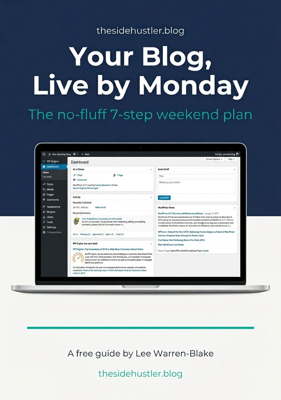
Download Your Free Blog Launch Roadmap
Get the no-fluff 7-step weekend plan that takes you from blank page to live blog — free instant download.
Recommended Reading:
- Best Hosting for Bloggers in 2026
- Build a Website for Your Home Business: A Simple 8-Step Guide
- How to Start a Blog in 2026 (Simple Step-by-Step Guide)
Which platform are you using, and would you make the same choice again? Drop it in the comments.
