
Table of Contents

This post contains affiliate links. If you click through and buy something, I may earn a small commission — at no extra cost to you. I only recommend tools I’ve actually used or thoroughly researched.
Most people treat their Pinterest boards like a junk drawer, a few vague names, a pile of random pins, then they wonder why nothing gets found.
I did the same for far too long. Then I sat down and fixed my Pinterest board strategy properly, I archived 29 boards, created 8 new ones, and now run 34. Drastic, maybe. But my numbers had been stuck for months, and they started moving almost as soon as I cleaned house.
That’s the thing nobody tells you. Your boards aren’t just storage, they’re one of the loudest signals you send Pinterest about what your account is about. Get it right and every pin works harder. Get it wrong and you’re quietly fighting your own account.
This is the whole thing: how many boards you need, how to name them, what to put in the descriptions, and how to keep them working months down the line. No fluff, just what moved the needle for me. Wondering how to set up Pinterest boards the right way from day one? This covers that too.
Recommended reading: Pinterest SEO for Beginners
Free Pinterest Training Workshop
Content ideas are only useful if your Pinterest strategy is solid enough to make them work. Meagan Williamson’s free workshop — The Discovery Loop — covers the full system so your content gets found.
Why Your Pinterest Board Strategy Matters More Than You’d Think
Here’s the part most beginner advice skips.
When you save a pin to a board, Pinterest doesn’t just look at the pin. It reads the board’s name and description too, and treats all of it as context. Save a budgeting pin to a board called “Easy Budget Tips for Beginners” and you’ve doubled down on the message. Save that same pin to “Stuff I Like” and you’ve told Pinterest precisely nothing.
Over time, a set of clear, well-named boards builds a sharp picture of what your account is about, and that’s what helps Pinterest push your content to more of the right people. This lines up with what Pinterest says in its own business resources about how it decides what to show.
Why Board Cohesion Matters More Than Ever
Here’s something about boards that’s become much clearer recently, and most beginner advice hasn’t caught up to it yet.
Pinterest used to work mostly like a keyword library, match the words on your pin to the words someone searched, and you were in the running. It’s moved well past that. Now it pays close attention to the relationship between a pin and the board it lives on, and uses that relationship to judge how relevant and trustworthy your content is.
In plain terms: a great pin saved to a messy, off-topic board gets dragged down by everything else on that board. Pinterest reads the company your pin keeps. Put a brilliant budgeting pin on a board that’s half recipes and half vacation photos, and you’ve blurred the signal, Pinterest isn’t sure what that pin is really about, so it shows it to fewer people.
And it doesn’t stop at one board. Unfocused boards can quietly pull down the reach of your good pins across your whole account. One cluttered “everything” board is enough to make Pinterest less sure about who you are.
This was my exact problem. I had duplicate boards competing with each other and confusing Pinterest about what was what, plus plenty of boards where the pins inside didn’t match the board they sat on. Cutting the duplicates and making sure every pin belonged where I’d saved it was a big part of the cleanup.
The fix is cohesion: every pin on a board should genuinely belong there. Before you save a pin, ask whether it actually fits the board’s topic, if it’s a stretch, it belongs somewhere else, or on a new board of its own.
Two things that help:
- Archive, don’t delete. If a board no longer fits your niche, archive it rather than deleting it. Archiving takes it off your active profile but keeps the pin history, so you don’t lose the data, deleting wipes it for good.
- Build boards around what’s working, not the other way around. Most people create empty boards and then scramble to fill them. Flip it: look at the pins and topics already getting traction, and build focused boards around those. Each pin should have one to three boards it fits naturally, no forcing.
A good gut-check for any board: would your ideal reader follow this board on its own? If the answer’s no, it’s probably doing more harm than good.
How Many Boards Do You Actually Need?
Fewer than you think.
Start with 10 to 15. That’s enough to cover your main topics without spreading yourself so thin that half of them go stale. And here’s the rule I’d burn into your brain: a board you can’t keep active is worse than one you never made. An abandoned board doesn’t sit there harmlessly, it tells Pinterest your account is half-asleep.
So don’t create boards for topics you might write about one day. Make a board when you’ve got the pins to fill it, and not before.
For context, I run 34 now, but I built up to that over time, and I got there by culling the dead weight, not hoarding. Start at 10 to 15 and only grow when you’ve genuinely got the pins to justify a new one.
- Three or four boards: Pinterest barely knows what you’re about.
- Fifty-plus you can’t keep up with: most go quiet, and that quiet counts against you.
- Ten to fifteen you actually tend to: just right to start.
How to Name Your Boards (Where Most People Blow It)

Board names are some of the most valuable real estate on your whole profile. And most people waste them.
The rule is dead simple: name your boards the way your readers search, not the way you think about your own content. You know your blog inside out, so “My Favorites” makes sense to you. It means nothing to Pinterest, and nothing to a stranger looking for help.
Bad board names:
- “My Faves”
- “Blog Stuff”
- “Things I Love”
Good board names:
- “Side Hustle Ideas for Beginners”
- “Pinterest Tips for Bloggers”
- “Easy Budget Meals for Families”
- “Work From Home Jobs 2026”
See the difference? The good ones are built from words real people type into the search bar. Before you name any board, type the topic into Pinterest and look at what it suggests, those suggestions are your readers telling you exactly how they search. Steal their words. Use them.
Write Board Descriptions That Actually Do Something
Every board needs a description. Not a placeholder. Not a comma-soup of keywords. Two or three real sentences that tell Pinterest, and a human, what the board is for.
Pinterest reads that description as extra context for every pin you save there. Leave it blank and you’ve thrown away free signal. Stuff it with keywords and Pinterest dings you for it. Write it like a person and you win.
A structure that works: first sentence, what the board covers, with your main keyword in it. Second, who it’s for or what they’ll find. Third, a few related topics dropped in naturally.
For a board called “Pinterest Tips for Bloggers,” that might read: “Pinterest tips for bloggers who want more traffic without paying for ads. You’ll find pin design ideas, keyword research, scheduling tips, and simple SEO, everything you need to turn Pinterest into a steady source of readers.”
Readable, honest, and quietly doing SEO work for every pin on the board.
How to Organize Your Boards

Once your boards exist, think about how they fit together.
Mirror your blog. If you cover blogging, email, and Pinterest, your boards should broadly match. It keeps the account focused and makes your niche obvious at a glance.
Make one board just for your own posts, something like “The Side Hustler: Best Posts,” where every pin links back to your blog. It’s a clean signal about your own content, and it puts all your stuff in one place.
Put your best boards first. Pinterest shows them in the order you set, so drag your most important, most active ones to the top, they’re the first thing a visitor sees. You’ll find this under “Organize” on your profile.
And keep every board to one topic. The second you make a catch-all board, you’ve blurred the picture. Resist it.
Keep Your Boards Alive
Setting boards up is the easy part. Keeping them active is what makes them keep working.
Pin to them regularly. Pinterest watches activity board by board, the ones getting fresh pins get shown more than the ones gathering dust. A few pins a week to each active board is plenty.
Refresh your descriptions now and then. The one you wrote a year ago might not match what you’re saving there now. A two-minute update keeps the signal sharp.
Free Pinterest Training Workshop
Content ideas are only useful if your Pinterest strategy is solid enough to make them work. Meagan Williamson’s free workshop — The Discovery Loop — covers the full system so your content gets found.
Board Strategy for Different Kinds of Blogs
What this looks like depends a bit on your blog.
Niche blogs, one main topic, should go deep. A personal finance blog might run boards for budgeting, saving money, side hustles, paying off debt, and investing. Each one a clear slice of the niche, each with its own keyword focus.
Multi-topic blogs need to be more careful. Pinterest rewards focus, so a blog juggling food, travel, and money needs to pick a lead. You can still cover everything, but most of your boards and pins should point at one clear primary topic, or Pinterest never quite figures you out.
Blogs about blogging often mix boards of their own content with boards curating the best of other people’s. Both are fine. Just make sure your own content always comes first.
Secret Boards: Worth It or Not?
Pinterest lets you make secret boards only you can see. They’re handy in two cases: staging (collecting pins before you decide where they go public) and personal stuff (saving your own recipes or vacation ideas without muddying what your public account is about).
Beyond that, don’t lean on them. Secret boards do nothing for your reach, because Pinterest can’t use them to understand your public content. They’re a tidy-up tool, not a strategy.
A Quick Board Audit

If you’ve already got an account with a pile of old boards, it’s worth a tidy-up before building anything new on top.
Go through each board and ask:
- Is the name something people actually search? If not, rename it.
- Does it have a real description? If not, write one.
- Is it active? If not, commit to it or archive it.
- Is it about one clear topic? If it’s sprawling, split it.
Then the honest gut-check that cuts through all of it: would your ideal reader follow this board on its own? If the answer’s no, it’s doing more harm than good.
When I ran this on my own account, 29 boards didn’t survive that question. I archived the lot, archived, not deleted, so I kept the pin history in case I wanted any of it back. It felt brutal. It was also the single thing that finally got my account unstuck.
If you’d rather not piece all this together yourself, the course that finally made the board side click for me was Meagan Williamson’s Pinterest course. It’s where I saw what I’d been getting wrong with my own boards, the duplicates, the mismatched pins, all of it. She teaches boards, keywords, and pin design as one joined-up system, it’s the one I’d point a beginner to.
Final Thoughts

Your Pinterest board strategy is the scaffolding the whole account stands on. I put off sorting mine out for far too long, and the moment I did, metrics that had been flat for months finally moved. Sort yours out and every pin benefits. Ignore them and you’re working against yourself every day without realizing it.
The good news? Fixing this isn’t hard. It’s an afternoon of tidying, rename, describe, audit, archive, then a few minutes a week to keep it ticking over. Not glamorous. But it’s the quiet groundwork that pays you back for months.
So don’t overthink it. Pick your messiest board and start there today.
Next step: Pinterest Content Ideas
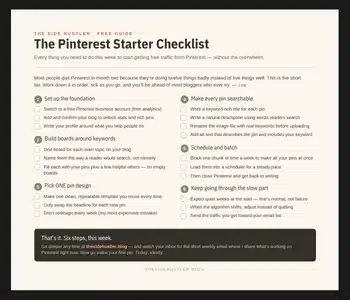
Boards are one piece of a bigger routine. If you want the whole first week laid out in order, boards, keywords, pins, scheduling, my free Pinterest Starter Checklist below puts it all on one page. Grab it and work down the list.
Download Your Free Pinterest Starter Checklist
Grab the free one-page checklist that shows you exactly what to do first, next, and after that.
