
Table of Contents

This post contains affiliate links. If you click through and buy something, I may earn a small commission — at no extra cost to you. I only recommend tools I’ve actually used or thoroughly researched.
“What do I actually pin?” is one of the most common questions beginners ask, and it’s a fair one. You know you’re supposed to be pinning consistently, but staring at a blank scheduling queue trying to work out what to pin on Pinterest is just plain frustrating.
The good news is that if you have a blog, you already have more Pinterest content than you think. The problem isn’t a shortage of content, it’s knowing how to get the most out of what you have and top it up with the right kinds of content at the right times.
This guide covers the Pinterest content ideas that actually drive traffic, how to generate a steady stream of them, and how to build a simple system so you never stare at an empty queue again.
Recommended reading: How to Schedule Pinterest Pins in 2026
The Core Pinterest Content Idea: Your Own Blog Posts

Start here, always. Your own blog posts are your most valuable Pinterest content because they drive traffic straight to your site, where you can earn from it through affiliate links, ads, email sign-ups, and products.
The mistake most beginners make is creating one pin per blog post and moving on. One pin per post leaves most of your content’s potential on the table.
Each blog post can give you multiple pin variations:
- Different headlines: the same post can be angled different ways. A post about Pinterest keyword research could become “How to Find Pinterest Keywords in 5 Minutes,” “Pinterest Keyword Research for Beginners,” and “The Fastest Way to Find Pinterest Keywords Without Paid Tools.” Three angles, three search queries, same destination URL.
- Different images: a lifestyle photo pin, a text-heavy graphic pin, and a bold color block pin for the same post will land with different audiences. Making all three costs 15 extra minutes and gives you three times the chances to be found.
- Different formats: static image, video pin, idea pin. Different Pinterest users engage with different formats. Covering more than one per post widens your reach.
The goal is to build a library of pin variations for every blog post, so your best content keeps getting fresh distribution month after month, not just in the week you published it.
Full guide: Pinterest Pin Design
Free Pinterest Training Workshop
Content ideas are only useful if your Pinterest strategy is solid enough to make them work. Meagan Williamson’s free workshop — The Discovery Loop — covers the full system so your content gets found.
Content Types That Consistently Perform Well on Pinterest
Beyond your own posts, certain types of content reliably drive strong Pinterest traffic across almost every niche. Here’s what works and why.
How-To and Tutorial Content
“How to” content is the backbone of Pinterest. People come to the platform to learn how to do things, cook a specific meal, set up a Pinterest account, save money, start a blog. Posts that answer a specific “how to” question perform consistently well because they match the intent of people actively searching for solutions.
Format your pin titles to reflect the how-to nature of the content:
- “How to Set Up a Pinterest Business Account in 10 Minutes”
- “How to Make $500 a Month From Affiliate Marketing”
- “How to Meal Prep for the Week in 2 Hours”
Listicles and Roundups
Lists work well on Pinterest because they set clear expectations. “17 Side Hustle Ideas for Beginners” tells the reader exactly what they’re getting. The numbered format also works well in pin headlines, it’s specific, scannable, and feels complete.
Roundup posts, “the best tools for X” or “top resources for Y,” also perform well because they do the research work for the reader. People save them to come back to later, which generates saves and signals quality to Pinterest’s algorithm.
Beginner Guides and Starter Content
Pinterest has a large audience of people right at the start of something, starting a blog, learning to cook, beginning a fitness routine, exploring a new side hustle. Content that targets beginners directly, “beginner’s guide to,” “for beginners,” “starting from scratch,” taps into that audience.
It’s also some of the most evergreen content on Pinterest. A beginner’s guide to Pinterest SEO is as relevant today as it was a year ago, and will still be relevant a year from now.
Checklists and Step-by-Step Guides
Checklist-style content performs well because it’s immediately actionable. People save checklists because they plan to use them, which gives your pins strong save rates, which signals quality to Pinterest’s algorithm.
Step-by-step guides work the same way, the numbered format communicates structure and makes the content feel manageable instead of overwhelming.
Seasonal and Timely Content
Pinterest users are planners. They search for holiday content weeks before the holiday, back-to-school content before the school year starts, and summer content while it’s still spring. Seasonal content can drive big traffic spikes if you time it right.
The key is to create and start pinning seasonal content 4–6 weeks before the season or event, not on the day itself. Pinterest content takes time to gain traction, and if you wait until the moment is obvious, you’ve already missed the peak.
Use Pinterest Trends to see when search volume for seasonal topics starts rising, then plan your content to land a month before that point.
Problem-Solution Content
Pinterest users are often searching because they’ve got a specific problem. “How to stop spending too much money,” “why isn’t my Pinterest getting any traffic,” “what to cook when you have nothing in the fridge,” these searches have a clear problem behind them, and your content needs to be the solution.
Problem-solution framing works well in pin titles:
- “Why Your Pinterest Pins Aren’t Getting Clicks (And How to Fix It)”
- “5 Budget Mistakes That Are Keeping You Broke, And What to Do Instead”
- “Can’t Sleep? 7 Things to Try Tonight”
The problem in the headline creates recognition, the reader sees themselves in it. The solution creates the click.
How to Generate Pinterest Content Ideas Systematically

Good Pinterest content ideas don’t come from staring at a blank page. They come from a bit of research. Here are the methods that work.
Mine Your Pinterest Search Bar
This is the most direct source of ideas there is. Go to Pinterest and type your main topics into the search bar. Watch the autocomplete suggestions, these are the exact questions and phrases people in your niche are searching for right now.
Each suggestion is a potential pin idea, blog post topic, or board concept. Work through your main topics one by one and note every relevant suggestion you find.
Full guide: Pinterest Keyword Research
Check Pinterest Trends
Pinterest Trends at trends.pinterest.com shows you what’s growing in search volume on the platform. Use it to:
- Find topics gaining momentum before they get highly competitive
- Spot seasonal peaks so you can plan content ahead of time
- Check that an idea you’re considering has real search volume behind it
Make checking Pinterest Trends a monthly habit. It takes 15 minutes and can meaningfully shape your content planning.
Look at Your Own Analytics
Your Pinterest Analytics tells you what’s already working. Go to your top-performing pins, the ones getting the most clicks, and ask: what’s the topic? What headline style? What format?
Your existing data is telling you what your audience wants more of. Use it.
Full guide: Pinterest Analytics Guide
Use AI to Brainstorm
AI tools like ChatGPT or Claude can generate content ideas fast. A prompt like “Give me 20 Pinterest pin ideas for a blog about side hustles for beginners, focus on topics with high search intent” will hand you a starting list in seconds.
Not every idea will be right, but you’ll almost always find 5–8 really useful ones to develop. Use AI for raw brainstorming material, not as a replacement for your own research and judgment.
Full guide: How to Use AI for Pinterest
Study What’s Working in Your Niche
Search your main topics on Pinterest and look at the pins at the top of the results. These are the ones Pinterest has decided are most relevant and highest quality for those searches.
What topics are they covering? What headline styles? What pin designs are performing best? You’re not copying, you’re researching what resonates with the audience you’re trying to reach.
Building a Pinterest Content Calendar

The best way to never run out of Pinterest content ideas is to plan a month ahead instead of deciding what to pin day by day.
A simple monthly process:
Week 1 of the month:
- Check Pinterest Trends for any seasonal topics coming up in the next 4–6 weeks
- Review last month’s analytics, what performed best?
- Pick 8–10 blog posts to create fresh pins for this month (a mix of new posts and evergreen content)
- Note any seasonal content to schedule ahead of the date
Weeks 2–4:
- Batch create pins for those posts, Canva’s free templates make this quick if you’re starting out
- Schedule them consistently across the month (3–5 pins per day)
That’s the whole thing. It’s roughly how I run mine, about an hour of planning at the start of the month, then batch the pins as you go, and you’re never scrambling for ideas or pinning reactively.
Content Ideas by Niche

If you’re still not sure where to start, here are specific content ideas grouped by the niches that perform strongest on Pinterest.
Blogging and online income:
- How to start a blog from scratch
- Pinterest tips for new bloggers
- Best affiliate programs for beginners
- How to make your first $100 blogging
- Email list building strategies for bloggers
Personal finance:
- How to save $1000 fast
- Budgeting for beginners
- Debt payoff strategies that actually work
- Side hustles you can start this weekend
- How to stop living paycheck to paycheck
Food and recipes:
- Easy weeknight dinners for beginners
- Meal prep for the week, step by step
- Budget-friendly family meals
- Quick healthy lunches for work
- Beginner baking recipes
Home and DIY:
- Small bedroom decorating ideas on a budget
- Easy DIY home projects for beginners
- Rental-friendly home decor ideas
- How to organize a small kitchen
- Weekend home improvement projects
Health and wellness:
- 30-minute home workouts for beginners
- How to build a morning routine that sticks
- Easy healthy meal prep ideas
- Tips for better sleep tonight
- Mental health habits for anxious people
Free Pinterest Training Workshop
Content ideas are only useful if your Pinterest strategy is solid enough to make them work. Meagan Williamson’s free workshop — The Discovery Loop — covers the full system so your content gets found.
How Much of Your Own Content vs Third-Party Content Should You Pin?
This is a question most beginners overthink. The simple answer: lead with your own content, top up with relevant third-party content.
Your own pins drive traffic to your blog. That’s the goal. Third-party content fills gaps, shows Pinterest your account is active and engaged with the community, and can help signal your niche, but it doesn’t directly build your blog traffic.
A reasonable balance for most bloggers: 70–80% your own content, 20–30% third-party. As your pin library grows, you can shift further toward your own content.
Don’t pin third-party content that could pull your audience off to a competitor without good reason. Curate thoughtfully, pin third-party content that adds real value for your readers and complements your own posts rather than competing with them.
Final Thoughts
The answer to “what do I pin?” is almost always: more of what you already have, done better.
Create multiple pin variations for every blog post. Research your keywords before you create. Plan seasonally so you’re ahead of the curve. And build a simple monthly planning habit so you’re never staring at an empty queue.
Pinterest rewards creators who show up consistently with fresh, relevant content. The ideas are out there, you just need a system for finding and using them.
Next step: Pinterest for Bloggers: How to Get Free Traffic in 2026
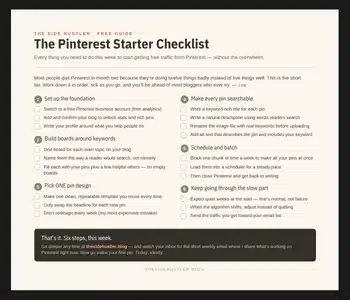
Ideas come easily once you’ve got a system running underneath them. The free Pinterest Starter Checklist below is that system, your first week on Pinterest, on one page. Grab it and you’ll never be short of what to do next.
Download Your Free Pinterest Starter Checklist
Grab the free one-page checklist that shows you exactly what to do first, next, and after that.
