Table of Contents

This post contains affiliate links. If you click through and buy something, I may earn a small commission, at no extra cost to you. I only recommend tools I’ve actually used or thoroughly researched.
Most guides about working from home as a bookkeeper spend a lot of time telling you it’s possible and not much time telling you how it actually works.
This post fixes that. If you’re already leaning toward bookkeeping as a career or side hustle and you want to know what the real setup looks like (the software, the workspace, how client relationships work remotely, what a typical day actually involves), this is the post for you.
If you’re still figuring out whether bookkeeping is the right path in the first place, start with How to Become a Bookkeeper in 2026 first. This post assumes you’re already leaning toward yes.
Can You Really Do Bookkeeping Entirely From Home?
Yes, and it’s not a workaround. It’s just how modern bookkeeping works.
Cloud-based accounting software means your clients’ financial data lives online, not in a filing cabinet somewhere. You log in remotely, do the work, and share reports back, all without being in the same building, or even the same state.
The types of clients that work best for remote bookkeeping are exactly the ones who need help most: small businesses, freelancers, e-commerce sellers, and sole proprietors. These are people running lean operations who don’t have an in-house finance team. They need someone organized and reliable. They don’t need you sitting at a desk down the hall.
Most of them are already used to working with remote contractors for design, writing, and marketing. Adding a remote bookkeeper to that mix is a completely normal thing for them to do.
What Equipment Do You Actually Need?
Less than you think. Here’s what matters:
A reliable laptop. Nothing specialist required. Any modern laptop that can run a browser and accounting software will do the job. You don’t need a high-spec machine, bookkeeping software isn’t demanding.
A stable internet connection. This is the one you can’t compromise on. Cloud software means everything runs through your connection. A wired ethernet connection is more reliable than Wi-Fi if you’re doing this seriously.
A second monitor. Not essential to start, but useful once you’re working with multiple clients. Having your accounting software on one screen and your client’s bank statements on the other saves a surprising amount of time.
A dedicated business email address. Free Gmail accounts work technically, but a professional email, yourname@yourbookkeepingbusiness.com, signals that you take this seriously. More on getting that set up in the website section below.
Secure document storage. Google Drive or Dropbox. Simple, free to start, and what most small business clients already use.
What you don’t need: a dedicated office, expensive hardware, a printer, or any specialist equipment. The bar to getting started is low.
What Software Do You Need to Work From Home as a Bookkeeper?
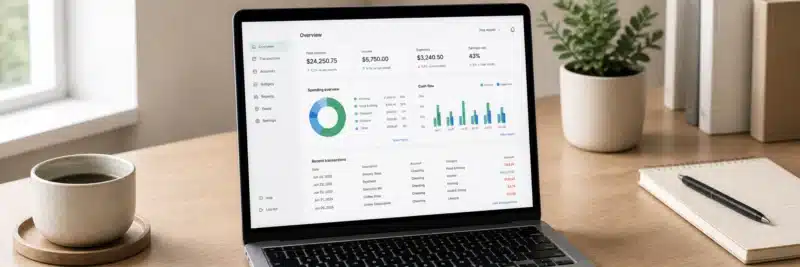
This is the section worth paying attention to. Get the software right and everything else becomes easier.
There are three layers to think about.
Accounting software, your core tool.
This is what you’ll spend most of your time in. The three names you’ll encounter most often:
Wave has a free Starter plan that covers unlimited invoicing and basic income and expense tracking, good for practicing and light use when you’re just starting out. Worth knowing: bank reconciliation, a core bookkeeping task, sits behind Wave’s paid Pro plan (around $16 to $19 a month) now, it isn’t part of the free tier anymore. Check Wave’s current plans before assuming what’s included.
FreshBooks is worth a look as you grow and take on more clients. It’s cleaner to work in than most alternatives, and sharing reports with clients is straightforward. A good fit if you’re working with freelancers and small service businesses.
QuickBooks is the industry standard. A lot of small business clients already use it, which means knowing QuickBooks makes you useful to a wider range of people from day one. It has a learning curve, but it’s the one most worth investing time in.
I’ve done a full breakdown of all three in the best bookkeeping software for small businesses guide, worth reading before you decide which one to focus on first.
Communication tools.
Email for day-to-day updates. Zoom or Google Meet for client onboarding calls and monthly check-ins. Slack if your clients use it, some do, most don’t. Nothing exotic. You probably already have everything you need here.
File sharing and storage.
Google Drive or Dropbox. Keep a dedicated folder for each client. Share access with them so they can drop in bank statements, receipts, and anything else you need. Simple and free to start.
Do You Need Specialist Bookkeeping Software?
Not to start. QuickBooks, FreshBooks, and Wave cover everything a freelance bookkeeper working with small business clients will need. More specialist tools exist (practice management software, dedicated payroll platforms) but they’re overkill at the early stage. Get comfortable with the basics first.
How Do You Learn the Skills You Need?
Remote bookkeeping requires a specific kind of confidence, because you can’t lean over to a colleague and ask a quick question when something doesn’t add up. You need to know what you’re doing before you’re doing it for someone else’s business.
The place I’d point you to first is Bookkeepers.com. Their free course covers the practical, hands-on side of bookkeeping in a way that actually prepares you to work with real clients, not just the theory. It’s a proper foundation, not a teaser.
If you go through it and decide you want the full roadmap (how to set up your business, find clients, and price your services) their paid program covers all of that in one place. But start with the free course and see how it sits with you first.
How Does Working With Clients Remotely Actually Work?

This is the part most guides skip. Let’s make it concrete.
Onboarding a new client looks like this: a video call to understand what they need, an agreement on scope (what you’ll do, how often, what they’ll send you), and getting access to their accounting software. Most platforms let you add an accountant or bookkeeper as a user, your client sends you an invite, you accept it, and you’re in.
Doing the work means logging into their account on a schedule you’ve agreed, weekly, bi-weekly, or monthly depending on the volume of transactions. You reconcile their accounts, categorize transactions, chase any missing information, and flag anything that looks off.
Reporting back is usually a short email summary, what you’ve done, anything you noticed, anything you need from them. Most clients don’t want a detailed breakdown every time. They want to know their books are in order and that you’ll tell them if something needs attention.
Communication frequency varies by client. Most small business owners want a monthly check-in, not daily updates. Once you’ve established a rhythm, remote bookkeeping runs largely in the background, which is what makes it sustainable as a home-based business.
How Do You Handle Client Data Securely?
This is worth taking seriously from day one, it builds trust and makes you look professional.
Use strong, unique passwords for every client account. Store them in a dedicated password manager, 1Password is the one I’d point you toward. Never share sensitive login details or financial data over unencrypted email. Use your secure file sharing setup for anything that matters.
It doesn’t need to be complicated. But it does need to be consistent.
Do You Need a Website to Work as a Remote Bookkeeper?
Not on day one. But sooner than most people think.
Here’s the reality: when a potential client googles your name, and they will, a website is the difference between looking credible and looking like a risk. A LinkedIn profile helps. But a simple website with your name, what you do, who you help, and how to contact you makes you look like someone who takes this seriously.
You don’t need anything elaborate. A clean one-page site covering those four things is enough. No blog required, no fancy design, no online booking system.
Hostinger is the most straightforward way to get something professional live quickly without spending much. Their basic plan covers everything you need. If you want a fuller guide to getting a simple site set up for a home-based business, Build a Website for Your Home Business walks through it step by step.
Aim to have something live within your first month. It doesn’t have to be perfect, it just has to exist.
What Does a Typical Day Look Like?

Let’s make this concrete with a realistic example.
You have four small business clients. Monday morning, you check emails first, one client has sent over last week’s receipts, another has a question about a transaction you flagged. You reply to both, then log into Client A’s QuickBooks account and reconcile the previous week’s transactions. Takes about 45 minutes.
After a break, you move to Client B, an e-commerce seller with a higher transaction volume. You work through their account, categorize everything, and send a short update email. Another hour.
Tuesday is lighter. You chase Client C for missing bank statements, update Client D’s records, and spend 30 minutes looking at next month’s schedule.
Some days are more straightforward than others. Some clients are disorganized and need more chasing. Some months are busier, January and the lead-up to tax season in particular.
But the rhythm is manageable. And that’s what makes it work as a home-based business, it fits around your life rather than consuming it.
How Do You Find Clients for a Remote Bookkeeping Business?
The short answer: start with your network, use freelance platforms to build reviews early on, and make sure you’re findable online once your website is live.
The full answer is in How to Get Bookkeeping Clients (With No Experience), that post covers exactly what to say, where to look, and how to price yourself when you’re starting from scratch. If you’re at the point where the setup is clear and you’re ready to think about clients, that’s your next read.
The Setup Is Simpler Than It Looks
The thing that stops most people isn’t the work itself, it’s the imagined complexity of getting started. But as you can see, the actual requirements are pretty minimal.
A laptop. A reliable connection. The right software. A basic website. And the knowledge to do the job properly.
That last one is the only part worth investing real time in. If you haven’t already, the free course at Bookkeepers.com is where I’d start, get the foundation solid first, then build everything else around it.
When you’re ready to think about finding your first paying client, How to Get Bookkeeping Clients (With No Experience) is your next stop.
FAQ: Working From Home as a Bookkeeper
Do I need a certification to work from home as a bookkeeper?
No formal certification is legally required in most places, though completing a solid course (free or paid) makes a real difference in how prepared and credible you are with clients.
How much does it cost to get started?
Very little. Most of the tools covered here (Wave’s free tier, Google Drive, Zoom) cost nothing to start. Your main investment is time spent learning, plus a small amount for a website once you’re ready for that step.
Can I work from home as a bookkeeper with no experience?
Yes, with the right preparation. A solid course covering real client scenarios, not just theory, is the main thing standing between no experience and being ready for a first client.
Is QuickBooks or Wave better for a beginner?
Wave’s free tier is a reasonable place to start practicing. QuickBooks is worth learning early too, since it’s what most small business clients already use, which makes it more useful for landing your first clients.
How many clients can one remote bookkeeper realistically manage?
It depends on transaction volume per client, but many part-time remote bookkeepers manage 3 to 5 small business clients comfortably, more as the workflow becomes routine.
Recommended Reading