
Table of Contents
This post contains affiliate links. If you click through and buy something, I may earn a small commission — at no extra cost to you. I only recommend tools I’ve actually used or thoroughly researched.
The best blogging tools aren’t necessarily the most expensive ones. Here’s the number that surprises most new bloggers: a fully professional blogging stack, hosting, SEO, email, design, backups, costs about the price of two coffees a month to start. Everything else on the “essential tools” lists you’ll find online is either free or can wait.
The biggest mistake I see new bloggers make isn’t picking the wrong tool. It’s buying tools in the wrong order, paying for SEO software before they’ve picked a host, or a premium theme before they’ve written a single post. Get the sequence right and the tool choices themselves get a lot easier.
I’ve been running thesidehustler.blog for over a year and have tested a lot of tools along the way. This is the honest picture: what I use, why I use it, what order to set it up in, and what you can skip entirely for now.
Start here: The most important blogging tool is reliable hosting. Hostinger gets you live on self-hosted WordPress in under an hour, with plans from around $2.69/month on a longer plan and a free domain included.
The Essential Blogging Software Stack, Category by Category
This is the essential blogging software 2026 stack, broken down by what it actually does for you, not just a list of logos.
Hosting: The Foundation Everything Else Sits On
Hostinger ← what I use
There’s no point having great content tools if your blog loads slowly, goes down regularly, or sits on a platform that limits what you can do. Hosting is the foundation. Get it right first.
Hostinger is what I run thesidehustler.blog on. The performance is solid: LiteSpeed servers and LiteSpeed Cache built into every plan, which means you don’t need a separate caching plugin. The hPanel dashboard is clean and beginner-friendly. And the pricing is fair: from around $2.69/month on a longer Premium plan, with a free domain for the first year.
The honest note on pricing: the low rate applies when you pay for the full term upfront. Renewal is higher, standard across the hosting industry, not unique to Hostinger. Factor it into your budget.
Get started with Hostinger, 30-day money-back guarantee.
Recommended reading: Hostinger Review: An Honest Look at Whether It’s Worth It for Bloggers
Recommended reading: Best Hosting for Bloggers in 2026

SEO: How Google Finds Your Blog
Not sure if your posts are SEO-ready before you hit publish? Rank Math scores every post against your focus keyword in real time as you write, so you’re never guessing whether you’ve covered the basics. It’s free, installs in minutes, and it’s the one plugin I’d tell any new blogger to grab before their first post.
Rank Math ← what I use
It scores your content against your focus keyword in real time as you write, telling you exactly what needs fixing before you publish. Focus keyword placement, meta description, internal links, image alt text, readability: it checks everything automatically.
The free version covers every SEO requirement a new blogger has. There’s a pro version with more advanced features, but you can run a serious blog indefinitely on the free tier.
Google Search Console ← free, from Google
Once your blog is live, Google Search Console shows you exactly how Google sees your site: which keywords you’re ranking for, how many clicks you’re getting, and whether there are any indexing issues. Essential, free, and often overlooked by new bloggers.
Google Analytics 4 ← free, from Google
Google Analytics tells you how many people visit your blog, where they come from, which posts they read, and how long they stay. Set it up before you have any traffic so you have data from day one.
Recommended reading: SEO Guide for Beginners: 8 Simple Steps to Get Your Blog Found on Google
Recommended reading: WordPress Plugins for Bloggers: The Only 8 You Actually Need
Content Creation: Writing and Research
SEOWriting AI ← what I use for drafting
SEOWriting AI is a tool I’ve been using to speed up content research and first drafts, though I’m still testing it properly, so treat this as a starting point rather than a full endorsement. You give it a topic, some direction, and it produces a well-structured starting point you can edit into your own voice. It doesn’t replace the writing (the personal experience, the opinions, the Lee Mode), but it cuts the time to a usable first draft considerably.
Worth knowing about from the start, especially once you’re publishing consistently and need to scale your output.
Google Docs ← free
Simple, reliable, accessible from anywhere. Most bloggers write their posts in Google Docs before pasting into WordPress. The collaboration features are useful if you ever work with a VA or editor.
Grammarly ← free tier is enough for most bloggers
Catches spelling errors, grammar issues, and awkward phrasing that your eyes skip over after you’ve read the same text too many times. The free browser extension runs across Google Docs and WordPress. Not a replacement for editing, but a useful final check.
Recommended reading: Best AI Writing Tools for Bloggers in 2026: The Right Stack at Every Growth Stage
Recommended reading: AI Blogging Workflow: My 8-Stage Process for Publishing Better Content Faster
Email Marketing: The Audience You Own
MailerLite ← what I use
Your email list is the only audience that’s truly yours. Social platforms come and go, algorithms shift, Google rankings fluctuate. Email subscribers stay with you through all of it.
MailerLite is what I run thesidehustler.blog on right now, and it’s the easiest place for a beginner to start, because the free plan includes real automation. You can deliver a freebie and send a welcome email without paying a penny, the drag-and-drop editor is easy to use, and it does the one job that matters: turn a reader into a subscriber and keep them.
When you outgrow it, the tool most serious creators graduate to is Kit (formerly ConvertKit). Its Creator Network and tagging are a real step up, and it’s where I’m heading myself. Just know the real power sits on its paid plan, so it’s an upgrade for later, not a day-one buy.
Recommended reading: Kit vs MailerLite: Which to Start With (and When to Switch)

Design: Making Your Blog and Pins Look Good
Canva ← free tier covers most bloggers
Canva is the design tool for bloggers who aren’t designers. You use it for blog hero images, Pinterest pin graphics, social media posts, and anywhere else you need visuals.
The free version is excellent: hundreds of templates, all the basic features, and enough variety to keep your content looking fresh. The Pro version adds more templates, a background remover, and a brand kit, but you can run a successful blog indefinitely on the free tier.
One specific use worth highlighting: Pinterest pin graphics. Vertical 1000 x 1500px pins with clear titles drive traffic from Pinterest back to your blog posts. Canva makes these straightforward even with no design background.
Recommended reading: Blog Design for Beginners: 8 Simple Rules for a Blog That Looks Good and Converts
Keyword Research: Finding What People Are Searching For
Google Keyword Planner ← free. Google Keyword Planner is the free keyword research tool from Google itself. It shows you search volume data and helps you understand what people are searching for in your niche. Requires a free Google Ads account to access, but you don’t need to run any ads.
Answer The Public ← free tier available
A visual keyword research tool that shows you questions, comparisons, and related searches around any topic. Useful for finding post ideas and long-tail keywords your competitors might be missing.
Recommended reading: Best Keyword Research Tools for Bloggers

Affiliate Link Management: Keeping Your Links Clean
ThirstyAffiliates ← what I use
If you’re doing affiliate marketing, and you should be, ThirstyAffiliates is the tool that keeps your links organized and manageable.
Instead of pasting long, ugly affiliate URLs directly into your posts, ThirstyAffiliates creates clean branded short links (yoursite.com/go/product-name). If a link ever changes, you update it in one place and it updates everywhere on your site automatically.
Install it before you place your first affiliate link. Retrofitting it later across dozens of posts is painful.
Backup: Your Safety Net
UpdraftPlus ← free tier covers most bloggers
UpdraftPlus backs up your entire site on a schedule and stores the backup to cloud storage of your choice: Google Drive, Dropbox, Amazon S3. If something goes wrong, you can restore your site to a working version in minutes.
Free version handles scheduled backups to cloud storage. That’s all most bloggers need.
Tools That Can Wait Until You’re Ready to Scale
A premium theme: Astra, Kadence, and GeneratePress all have excellent free versions. Buy a premium theme when you have a specific reason to, not because it feels more professional.
A page builder (Elementor, Divi): Gutenberg, WordPress’s built-in editor, does everything a blogger needs. Page builders add significant load to your site and aren’t necessary for content-focused blogs.
An expensive keyword research tool: Ahrefs and Semrush are powerful, but they’re priced for agencies. New bloggers can get very far with Google Keyword Planner, Answer The Public, and Google Search Console, all free.
Multiple social media scheduling tools: pick one platform, use its native scheduler if it has one, and skip the expensive third-party tools until you need them.
Your Blogging Stack for Growth, at a Glance
If you’re setting all of this up for the first time, work through it top to bottom, that’s the order it actually needs to happen in: hosting first, then SEO and analytics, then your writing and email tools, then design and link management, with backups locked in before you go live.
| Tool | Category | Cost |
|---|---|---|
| Hostinger | Hosting | From $2.69/month |
| Rank Math | SEO plugin | Free |
| Google Search Console | SEO analytics | Free |
| Google Analytics 4 | Traffic analytics | Free |
| SEOWriting AI | Content creation | Paid |
| Canva | Design | Free tier |
| MailerLite | Email marketing | Free up to 250 subscribers |
| Google Keyword Planner | Keyword research | Free |
| ThirstyAffiliates | Affiliate links | Free tier |
| UpdraftPlus | Backups | Free tier |
The core toolkit for a new blog costs almost nothing beyond hosting. Add paid tools when you’ve outgrown what the free versions offer, which, for most of these, takes a long time.
Start with Hostinger, the only tool on this list with a real upfront cost, and build everything else on top of it.
Recommended reading: How to Start a Blog in 2026 (Simple Step-by-Step Guide)
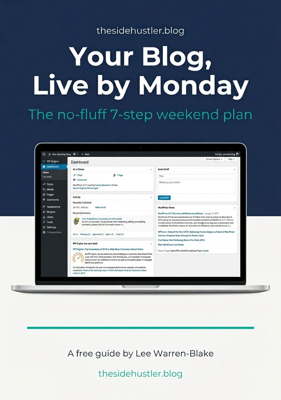
Download Your Free Blog Launch Roadmap
Get the no-fluff 7-step weekend plan that takes you from blank page to live blog — free instant download.
Is there a tool you swear by that I haven’t mentioned? Drop it in the comments.
