
Table of Contents

This post contains affiliate links. If you click through and buy something, I may earn a small commission — at no extra cost to you. I only recommend tools I’ve actually used or thoroughly researched.
Most people think of Pinterest SEO as a keyword game — the right words in the right places. And keywords matter enormously. But there’s a second layer most beginners completely overlook, and it’s what this guide is about: Pinterest visual SEO.
Pinterest uses image recognition technology to analyze what’s in your pin images. It can identify objects, scenes, colors, and even text within an image — and it uses that information to decide what your content is about and who to show it to.
That means your pin design isn’t just a first impression for human readers. It’s also a signal to Pinterest’s algorithm. Get it right and your visuals are doing SEO work for you. Get it wrong and you’re leaving distribution on the table.
We’ll cover what it is, how it works, and exactly what to do to make your images work harder for your content.
Recommended reading: Pinterest SEO for Beginners
What Is Pinterest Visual SEO?
Pinterest visual SEO is the practice of designing your pin images so that Pinterest’s image recognition system can correctly identify and classify your content — and show it to the right audience.
Pinterest uses a technology called computer vision to scan pin images. It looks at:
- Objects in the image — food, furniture, clothing, people, plants, products
- Scene type — indoor, outdoor, kitchen, bedroom, office, nature
- Colors and aesthetic — warm tones, minimalist, bright and bold
- Text within the image — the words on your text overlay
- Overall visual style — does it look like a recipe, a tutorial, a product shot?
All of this feeds into Pinterest’s understanding of what your pin is about — alongside the text signals from your title, description, and board. The visual signals and the text signals should be consistent with each other. When they align, Pinterest has high confidence about what your content is and who wants to see it.
When they don’t align — for example, a pin about budget travel tips using a stock photo of office supplies — Pinterest gets a mixed signal and your distribution suffers.
According to Pinterest’s creative best practices, pins that follow visual best practices consistently outperform those that don’t — both in search visibility and engagement. Visual quality isn’t just aesthetic — it’s a ranking factor.
Free Pinterest Training Workshop
Content ideas are only useful if your Pinterest strategy is solid enough to make them work. Meagan Williamson’s free workshop — The Discovery Loop — covers the full system so your content gets found.
How Pinterest’s Image Recognition Works in Practice
You don’t need to understand the technical details of computer vision to benefit from Pinterest visual SEO. You just need to understand what it means for how you choose and design your images.
When Pinterest scans your pin, it’s essentially asking: what is this image about, and who would find it useful?
A pin about meal prep for beginners that uses a clean photo of prepped food containers in a bright kitchen will send a clear, consistent signal. Pinterest knows what it’s looking at, it matches the text about meal prep, and it knows exactly who to show it to.
A pin about the same topic that uses a generic stock photo of a woman at a laptop sends a muddier signal. The image could be about anything — productivity, working from home, business, blogging. Pinterest has to rely more heavily on the text to classify the content, and the visual-text mismatch can hurt distribution.
The practical takeaway: choose images that are clearly relevant to your content, not just aesthetically pleasing.
Pinterest Visual SEO: What to Get Right
Image Relevance
Your background image should be directly relevant to the topic of your pin and blog post. If you’re writing about Pinterest keyword research, use an image that suggests search, discovery, or digital planning — not a random lifestyle photo that could apply to anything.
This sounds obvious but it’s surprising how often bloggers use beautiful but generic stock photos that have nothing to do with the content. Pinterest’s image recognition will classify the image correctly — and if it doesn’t match your text keywords, your distribution takes a hit.
I’ve learned to put relevance first. A pin that instantly signals its topic tends to travel further than a prettier one that leaves Pinterest guessing.
Image Quality
Pinterest favors high-quality images. Blurry, pixelated, or poorly lit photos perform worse than sharp, well-lit ones — both because of how Pinterest’s algorithm assesses quality and because of how human readers respond to them.
You don’t need professional photography. But you do need images that look clean and intentional. The free image libraries — Unsplash and Pexels — have more than enough high-quality options for almost any niche.
Vertical Format
Pinterest is built for vertical content. The standard pin size is 1000 x 1500 pixels (2:3 ratio) and this format consistently outperforms square or horizontal images on the platform.
Vertical pins take up more space in the feed, which means more visual real estate and more chance of catching a scrolling reader’s eye. Always design your pins in the correct vertical format.
Full guide: Pinterest Pin Design
Color and Aesthetic Consistency
Pinterest’s image recognition picks up on color palettes and visual styles. Over time, if your pins consistently use a similar color palette and aesthetic, Pinterest builds a clearer picture of your brand and your audience.
This is another reason why consistent branding matters — it’s not just about human recognition, it’s also about giving Pinterest consistent visual signals across your content.
Colors that tend to perform well on Pinterest: warm tones, high contrast combinations, and clean backgrounds. Very dark or very muted color schemes can get lost in the feed.
Text Overlay — Read by Both Humans and Algorithms
The text you put on your pin image is read by Pinterest’s image recognition as well as by human readers. This means your text overlay should include your primary keyword — not just for the human reader, but because Pinterest is literally reading the words in your image.
Keep text overlay clear, large enough to be read easily, and directly relevant to your content topic. Pinterest scanning “How to Do Pinterest Keyword Research” in your image text reinforces the same keyword signal in your pin title and description. Consistent signals across visual and text elements improve your distribution.
Image File Names
Before uploading any pin image, rename the file with your keywords. “pinterest-visual-seo-tips-2026.jpg” tells Pinterest something about the image before it’s even scanned. “IMG_8823.jpg” tells it nothing.
It takes five seconds and it’s a small but consistent SEO signal. Make it a habit for every image you upload — both on Pinterest and on your blog.
Alt Text on Blog Images
When you add images to your blog posts that will be saved to Pinterest, write descriptive alt text using your keywords. Pinterest reads alt text when someone saves an image from your blog — it’s one of the signals used to pre-populate the pin description.
Good alt text is descriptive and natural — “Pinterest pin showing keyword research tips for beginner bloggers” rather than a string of keywords. Write it for a human reader who can’t see the image, and your keywords will appear naturally.
How to Choose the Right Images for Your Pins
Finding the right images doesn’t have to be difficult or expensive. Here’s a simple workflow.
Step 1: Define the visual for your content. Before you open any image library, ask yourself — what does this content look like visually? A recipe post is obvious. A post about Pinterest keyword research needs more thought — maybe a laptop with a Pinterest search bar visible, or a desk with a notebook and planning materials.
Step 2: Search with specific terms. When searching image libraries like Unsplash or Pexels, be specific. “Woman planning at desk with laptop” will give you more useful results than “woman working.” The more specific your search, the more relevant the images.
Step 3: Check for visual-keyword alignment. Before using an image, ask — if someone looked at this image with no text on it, would they have any idea what topic it relates to? If yes, it’s a good choice. If no, look for something more specific.
Step 4: Keep a library of your best images. When you find images that work well for your niche, save them in a folder. Building a library means you’re not starting from scratch every time you create a new pin.
Pinterest Visual SEO and Pin Performance
Everything in this guide works together. Visual relevance, image quality, consistent branding, proper file naming, keyword-aligned text overlay — none of these is a magic bullet on its own. But together, they build a pin that sends clear, consistent signals to Pinterest’s algorithm and a strong first impression to human readers.
The bloggers who understand Pinterest visual SEO have an edge over those who treat pin images as an afterthought. It’s not a complicated edge — it’s just the result of being thoughtful about image choices and consistent about the basics.
A few things to check on every pin before you schedule it:
- Image is directly relevant to the content topic
- Image is high quality — sharp, well-lit, clean
- Pin is in vertical format (1000 x 1500 pixels)
- Text overlay is clear, readable, and includes your primary keyword
- Image file is named with keywords before uploading
- Alt text is written on the blog image this pin links to
Tools That Help With Pinterest Visual SEO
Canva — the go-to tool for creating properly sized, well-designed Pinterest pins. The free version has everything you need, including Pinterest templates at the correct dimensions.
Unsplash and Pexels — free, high-quality image libraries with searchable content across almost every niche. Always credit where required, though most images on both platforms are freely usable.
Pinterest’s own search — before finalizing your pin image choice, do a quick search on Pinterest for your topic and look at the images that appear at the top. Pinterest is showing you what it considers visually relevant for that search. Use that as a guide.
If you want to understand the full picture of how Pinterest evaluates and ranks content — visual and text signals together — Meagan Williamson’s paid Pinterest course covers it as part of a complete beginner system. It’s the course I took when I was getting started, and it filled in gaps I didn’t even know I had.
Free Pinterest Training Workshop
Content ideas are only useful if your Pinterest strategy is solid enough to make them work. Meagan Williamson’s free workshop — The Discovery Loop — covers the full system so your content gets found.
Final Thoughts
Pinterest visual SEO isn’t a separate strategy from your regular Pinterest SEO — it’s part of the same system. Keywords and visuals work together to tell Pinterest what your content is about and who should see it.
Get your images right — relevant, high quality, properly formatted, with keyword-aligned text overlay — and your visuals start pulling their weight in your Pinterest strategy rather than just looking nice.
It’s one of those things that takes five minutes to do properly and makes a real difference over time.
Next step: How to Use AI for Pinterest
Questions about Pinterest visual SEO? Drop them in the comments.
Recommended Reading
- Pinterest Pin Design
- Pinterest Pin Titles and Descriptions
- Pinterest SEO for Beginners
- Pinterest Keyword Research
- How to Schedule Pinterest Pins in 2026
- Pinterest for Bloggers: How to Get Free Traffic in 2026
Strong visuals do their best work when the rest of your Pinterest setup is in place. The free Pinterest Starter Checklist below walks you through those first steps on one page. Grab it and get going.
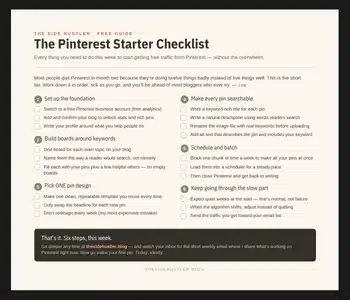
Download Your Free Pinterest Starter Checklist
Grab the free one-page checklist that shows you exactly what to do first, next, and after that.
