
Table of Contents

This post contains affiliate links. If you click through and buy something, I may earn a small commission — at no extra cost to you. I only recommend tools I’ve actually used or thoroughly researched.
Most bloggers starting out on Pinterest don’t need to think about paid advertising. Organic Pinterest traffic (the kind you build through good keyword research, consistent pinning, and strong pin design) is free and surprisingly powerful if you do it properly.
But there comes a point where some bloggers want to accelerate. Maybe you have a product launch coming up. Maybe you’ve found a pin that’s performing well organically and you want to amplify it. Maybe you just want to test whether paid traffic can move the needle faster than organic alone.
That’s where Pinterest promoted pins come in.
I’ll be straight with you before we go further: I’ve built my own Pinterest traffic organically, not with ads. So treat this as Pinterest ads for beginners written from a clear-eyed outside view, not a war story about my own ad spend. Most people reading this should get organic working first anyway, which is exactly what I did.
This guide covers what promoted pins are, how they work, when they make sense for bloggers, and how to run a basic campaign without wasting your budget on a steep learning curve.
Recommended reading: Pinterest for Bloggers: How to Get Free Traffic in 2026
What Are Pinterest Promoted Pins?
Promoted pins are Pinterest’s paid advertising format. They look almost identical to regular organic pins, same vertical format, same title and description, but they’re shown to a targeted audience beyond your existing followers and appear in search results and feeds based on the targeting criteria you set.
The “promoted” label appears in small text below the pin, but it’s subtle enough that many users don’t notice it. This is one of Pinterest’s strengths as an ad platform: promoted pins feel native to the platform in a way that banner ads or sponsored posts on other platforms often don’t.
You pay on a cost-per-click (CPC) basis for most campaign types, meaning you only pay when someone clicks your pin, not just when it’s shown. This makes budget management relatively straightforward, especially for beginners.
According to Pinterest’s business advertising resources, Pinterest ads reach users who are actively in a planning and discovery mindset, which typically means higher purchase intent than users on entertainment-focused social platforms. This is Pinterest advertising in 2026, not the “boosted pin” logic from a few years back: campaign names and objectives have shifted since, which is worth knowing before you dig through older tutorials.
Free Pinterest Training Workshop
Content ideas are only useful if your Pinterest strategy is solid enough to make them work. Meagan Williamson’s free workshop — The Discovery Loop — covers the full system so your content gets found.
How Pinterest Promoted Pins Work
To run promoted pins, you need a Pinterest business account with an ad account set up. The process works like this:
- You choose a pin to promote: either an existing organic pin or a new one created specifically for the campaign
- You set your campaign objective: awareness, consideration (this is the objective most people still call “traffic,” Pinterest renamed it a while back), conversions, or video views
- You define your target audience: by interests, keywords, demographics, or customer lists
- You set your budget: daily or lifetime spend limit
- Pinterest shows your promoted pin to the audience you’ve defined
- You pay when someone clicks (for consideration campaigns) or based on impressions (for awareness campaigns)
Pinterest’s ad platform is less complex than Facebook or Google Ads, which makes it more accessible for beginners. But it still requires careful setup to get meaningful results.
Campaign Objectives: Which One to Choose
Pinterest offers several campaign objectives. For bloggers, two are most relevant.
Consideration campaigns (formerly called “Traffic”). You pay per click. Your promoted pin appears in search results and feeds, and you’re charged each time someone clicks through to your blog. This is the most common objective for bloggers and the one to start with. If you’re reading an older guide anywhere else and it says “Traffic campaign,” this is the same thing under its current name.
Awareness campaigns. You pay per thousand impressions. Your pin is shown to as many people as possible within your target audience. Useful for building brand recognition, less useful for driving direct blog traffic.
Conversion campaigns. You define a specific action, a purchase, a sign-up, a download, and Pinterest works to show your pin to the people most likely to complete that action. Requires a Pinterest tag installed on your website to track conversions. More complex to set up but more powerful for bloggers selling products or building email lists.
Start with a consideration campaign. It’s the simplest to understand and the most directly useful for driving blog visitors.
Targeting Options for Pinterest Promoted Pins
This is where promoted pins get interesting, and where beginners often make expensive mistakes by targeting too broadly.
Keyword targeting. You choose the keywords you want your promoted pin to appear for in search results. This is the most intent-driven targeting option: you’re reaching people who are actively searching for your topic. For bloggers, this is usually the best place to start.
Interest targeting. You target users based on their broader interests (home decor, personal finance, food and drink) rather than specific searches. Broader reach, lower intent than keyword targeting.
Audience targeting. You can upload customer lists, target people who have visited your website (requires Pinterest tag), or create lookalike audiences based on your existing visitors. More advanced and requires setup, but powerful once you have enough data.
Demographic targeting. Age, gender, location, device. Use these to refine your targeting rather than as your primary targeting method.
For beginners, start with keyword targeting. Choose the same keywords you’d use in your organic pins, the terms your audience is actively searching for. This gives you the most control over who sees your promoted pin and ensures you’re reaching people with genuine intent.
How to Choose the Right Pin to Promote
Not every pin is worth spending money on. The best pins to promote are the ones that are already working organically.
Before you pay to amplify a pin, check your Pinterest Analytics. Find a pin that:
- Is already getting clicks organically, meaning people are responding to it
- Links to a page with a clear purpose: a blog post with an affiliate offer, a lead magnet landing page, or a product page
- Has a strong, specific headline and clear design
Promoting a pin that’s already proven itself organically is a lot less risky than promoting one that hasn’t been tested. The organic data tells you the pin resonates with your audience: you’re just paying to show it to more people.
Full guide: Pinterest Analytics Guide
Setting Your Budget

Pinterest doesn’t require a large minimum spend, most guides put the realistic floor around $5 a day, which makes it accessible for bloggers testing the waters with a small budget.
For context, on Pinterest cost-per-click generally runs somewhere between $0.10 and $1.50 depending on your niche and targeting, usually cheaper than Facebook or Instagram. That’s a rough industry range, not a guarantee, your actual numbers depend on competition and how well your pin performs.
A sensible approach for beginners:
Start small. $5–$10 per day for a consideration campaign is enough to generate meaningful data without risking significant budget. Run it for 7–14 days before drawing conclusions.
Set a lifetime budget for your test. Rather than an open-ended daily budget, set a total campaign spend limit, say $50–$100, so you know exactly what the test will cost before you start.
Don’t judge too early. Pinterest’s algorithm needs a few days to settle on who it shows your pin to. Results in the first 48 hours are often not representative of where the campaign will land.
Calculate your cost per click. Once you have data, divide your spend by the number of clicks to find your CPC. Compare this to the value of a blog visitor: if you’re monetizing through affiliate marketing, what’s the average value of a visitor to your affiliate posts? If your CPC is comfortably lower than that value, scaling makes sense.
When Promoted Pins Make Sense for Bloggers
Paid Pinterest advertising isn’t right for every blogger at every stage. Here’s an honest assessment of when it makes sense.
When you have something to promote with a clear return. Promoting a blog post for the sake of traffic is hard to justify financially unless that traffic converts to something, an email subscriber, an affiliate commission, a product sale. If you have a high-converting affiliate post or a lead magnet landing page, promoted pins can deliver a positive return on spend.
When you’re launching something. A new product, a course, a lead magnet: promoted pins can accelerate the initial visibility of a launch beyond what organic reach alone can deliver.
When you’ve found an organic pin that converts well. If a pin is already driving affiliate commissions or email sign-ups organically, promoting it is a lower-risk way to scale what’s already working.
When you can afford to test without pressure. Paid advertising has a learning curve. Your first campaigns will teach you things your later campaigns will benefit from. If you can approach the first $50–$100 as a learning investment rather than expecting an immediate positive return, you’ll have a better experience.
When it doesn’t make sense:
- When your organic Pinterest strategy isn’t working yet: fix that first
- When you don’t have a clear conversion goal for the traffic
- When your budget is really tight, free organic traffic should always come before paid
Free Pinterest Training Workshop
Content ideas are only useful if your Pinterest strategy is solid enough to make them work. Meagan Williamson’s free workshop — The Discovery Loop — covers the full system so your content gets found.
The Pinterest Tag: Worth Setting Up Before You Run Ads
The Pinterest tag is a small piece of code you install on your website that lets Pinterest track what visitors do after they click your promoted pin. Did they sign up to your email list? Did they buy something? Did they visit multiple pages?
Without the tag, you’re flying blind on conversions. You know how many people clicked your pin, but not what they did afterward.
Installing the Pinterest tag before you start your first campaign means you’ll have conversion data from day one rather than having to retroactively figure out whether your spend was worthwhile. Pinterest has a step-by-step guide for installing it, if you’re on WordPress, it’s a straightforward process. Pinterest also offers a Conversions API that catches conversions the tag misses (ad blockers, browser restrictions), but that’s a technical, server-side setup worth revisiting once you’re running ads regularly, not a day-one requirement.
Promoted Pins vs Organic Pinterest: The Honest Comparison

For most bloggers starting out, organic Pinterest is the right priority. Here’s why.
Organic Pinterest traffic is free and compounds over time. A pin you created six months ago can still be driving traffic today. The investment is time and consistency, not money.
Promoted pins stop the moment you stop paying. There’s no compounding, when the budget runs out, the traffic stops.
This doesn’t make promoted pins bad, it makes them a different tool for a different purpose. Organic builds your long-term traffic foundation. Promoted pins can accelerate specific campaigns or amplify what’s already working.
Get your organic strategy working first. Then use promoted pins as an amplifier, not a replacement.
Final Thoughts
Pinterest promoted pins are a legitimate tool for bloggers, but they’re not where most beginners should start. Build your organic foundation first, understand what content converts, and then use paid promotion to amplify what’s already proven.
When you do start experimenting with promoted pins, start small, target by keyword, promote your best organic performers, and treat the first campaign as a learning exercise rather than expecting immediate returns.
Done right, promoted pins can meaningfully accelerate your results. Done wrong, without the organic foundation or a clear conversion goal, they’re an expensive lesson.
Next step: Pinterest for Beginners: Your First 30 Days
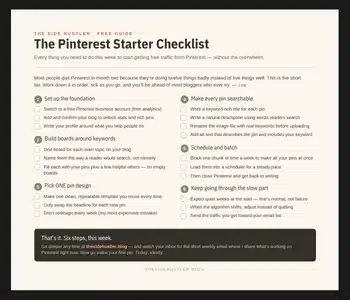
Before you pay for reach, it’s worth nailing the free fundamentals, they make every promoted pin work harder. The free Pinterest Starter Checklist below covers them, on one page. Grab it first.
Download Your Free Pinterest Starter Checklist
Grab the free one-page checklist that shows you exactly what to do first, next, and after that.
