
Table of Contents
This post contains affiliate links. If you click through and buy something, I may earn a small commission, at no extra cost to you. I only recommend tools I’ve actually used or thoroughly researched.
If you want to sell printables on Etsy, you’ve picked one of the best platforms to do it on. Etsy already has the buyers, over 86 million active ones, and a huge chunk of them are specifically searching for digital downloads for beginners like planners, trackers, wall art, and templates.
That’s the bit most people miss. You don’t have to build an audience from scratch. Etsy is a search engine for handmade and digital products, and people come to it ready to buy. Your job is to create something worth buying and make sure it shows up when they search.
Quick bit of honesty about where I’m coming from. I’ve had an Etsy shop for a while, but I’ve only recently started building out the printables side of it properly, 11 products in, and still early days. I haven’t promoted it yet: no Pinterest push, no ads, nothing. I’m running it on nothing but the guides on this blog, on purpose, to see whether the method holds up. So this isn’t theory. It’s the exact playbook I’m following myself, laid out step by step. When there are real results worth sharing, I’ll write that post. For now, here’s the system.
Recommended reading: If you want the bigger picture first, including other platforms and the full business model, start with How to Sell Printables Online.
Why Etsy Works So Well for Printables
Etsy isn’t just another marketplace. For printable sellers specifically, it has a few things going for it that are hard to match anywhere else.
Built-in traffic. People go to Etsy to shop. They type “budget planner printable” into the search bar because they want to buy one right now. You don’t need to run ads, build a blog, or grow a social media following to get your first sale. The traffic is already there.
Digital delivery is automatic. When someone buys your printable, Etsy delivers the file instantly. No shipping, no packaging, no trips to the post office. The customer gets their download immediately, and you don’t have to do a thing.
Low fees, high margins. According to Etsy’s fees policy, you pay $0.20 per listing, 6.5% of the total sale price as a transaction fee, and a payment processing fee of roughly 3% + $0.25. On a $10 printable, your total fees are about $1.40. Since there are no production costs, your profit margin sits around 85–90%.
The barrier to entry is low. You can open a shop and list your first product in under an hour. You don’t need inventory, a warehouse, or even design experience, just a free Canva account and a willingness to learn.
How to Sell Printables on Etsy: Step by Step
Step 1: Decide What to Sell
This is the most important step, and it’s the one most people rush through.
Don’t start with whatever you think looks nice. Start with what people are already searching for and buying. The mistake most beginners make is opening Canva before they’ve confirmed there’s actual demand for what they’re about to create. Weeks of work. Zero sales. That’s what skipping this step costs you.
The manual approach is to go to Etsy, type in broad terms like “printable planner” or “budget tracker,” and study the results. Look at how many sales the top shops have. Read the reviews. Notice what’s missing. It works, but it’s slow, and it’s based on surface-level signals rather than real data.
The faster approach is to use a product research tool that shows you actual demand. The one I’d point you to is Profittree. It shows you what’s selling on Etsy right now, not keyword estimates or trend graphs, but real buyer activity. You can see which products are being viewed, added to carts, and purchased, and use that data to validate an idea before you spend a single hour designing it.
There’s a free plan that gives you access to the Product Finder with last week’s data, which is enough to make a solid product decision when you’re just starting out. Read my full Profittree review to see exactly what the tool does and which plan makes sense for where you are right now. Or try it free here and run your niche through the Product Finder before you commit to anything.
Whether you research manually or with a tool, the principle is the same: go specific. “Planner” returns over a million results on Etsy. “ADHD weekly planner printable” returns far fewer, and the buyers searching for it know exactly what they want and are ready to purchase.
The sellers who do well go narrow. One listing won’t build a business. But 20 to 30 listings in a focused niche will start to generate consistent traffic and sales, some of the best selling printables 2026 shops are built exactly this way, as long as you picked a niche people are actually buying from.
Recommended reading: Best Printables to Sell for Beginners, the product categories worth researching first, with notes on what makes each one beginner-friendly.
Step 2: Create Your Products
You don’t need to be a designer. The tool that most printable sellers use is Canva, it’s free, drag-and-drop, and has hundreds of templates you can customize for your niche.
Recommended reading: How to Make Printables in Canva, a full step-by-step walkthrough for complete beginners.
A few basics to keep in mind when creating:
Set your document size to 8.5 x 11 inches (US Letter) for the US market, or A4 for international buyers. Stick to 2–3 fonts and a consistent color palette across all your products, this builds brand recognition and makes your shop look professional. Export as PDF for most printables and PNG for wall art.
Focus on usefulness over beauty. A clean, simple budget tracker that actually helps someone manage their money will outsell a gorgeous one that’s confusing to use.
If you’d rather follow a structured course than piece it together yourself, the one I went through is the Gold City Ventures free printables workshop, it’s full of useful, practical stuff, and it’s where I’d point a beginner first. They also run a deeper paid E-Printables course built for beginners with no design experience, with 30+ done-for-you Canva templates. Gold City says its students have collectively earned over $3.3 million on Etsy, that’s their figure, not mine, but the free workshop alone is enough to tell you whether this is for you before you spend anything.
Recommended reading: How to Make Printables to Sell, covers the full creation process from idea to finished product.
Step 3: Set Up Your Etsy Shop
Opening an Etsy shop takes about 20 minutes. Here’s what you’ll do:
Choose a shop name. Keep it short, memorable, and relevant to your niche. Don’t overthink this, you can change it later.
Set your payment and billing preferences. Etsy uses Etsy Payments, which handles all the transaction processing for you.
Write your About section. This matters more than people think. Write like a real person, tell buyers what you sell and why you care about it. Etsy rewards shops that feel personal and trustworthy.
Set up shop policies. For digital products, you typically don’t accept returns. Spell that out clearly so buyers know what to expect upfront.
Recommended reading: If I Were Starting an Etsy Printables Shop Today, the exact plan I’d follow if I were launching from scratch right now.
Step 4: Create Your First Listing
Your listing is how Etsy decides whether to show your product to buyers, and it’s what convinces them to click “Add to Cart.” This is where the work really matters.
Etsy’s search algorithm changed in early 2026. It now uses AI and semantic search to understand what your product is, not just match keywords. That means the old advice of cramming your title with every keyword you can think of is dead. In fact, keyword-stuffed titles are now actively penalized.
Here’s what works in 2026:
Title: Keep it under 15 words. Lead with what the product is, then add 2–3 key details. “Monthly Budget Planner Printable: Undated, US Letter PDF” is clear, readable, and tells both the buyer and the algorithm exactly what you’re selling.
Tags: Use all 13 tags Etsy gives you. This is where your keyword variety goes, not stuffed into the title. Use multi-word phrases that match what buyers actually search for. “Budget planner printable” beats “budget” on its own.
Description: Etsy’s AI now reads your description for context, so this matters more than it used to. Explain exactly what the buyer gets: what’s included in the download, what size it is, how they use it, and what format the file is in. Write naturally. You’re helping both the buyer and the algorithm understand your product.
Images: Show your printable in context. A planner shown open on a desk with a pen next to it converts far better than a flat screenshot. You can create lifestyle mockups in Canva for free. Etsy also weighs photo quality in ranking now, so clear, well-lit images matter more than ever.
Attributes: Fill out every attribute field Etsy offers. These are used as search filters, and skipping them means your listing won’t show up when buyers narrow their search.
Price: Most printables sell in the $4–$12 range, depending on the category and perceived value. Don’t race to the bottom, a well-presented product at $8 will outsell a sloppy one at $3.
Recommended reading: How to Price Printables on Etsy, getting this right is more important than most people realize.
Step 5: Get Your First Sales
Your first few sales are the hardest because you don’t have reviews yet, and Etsy’s algorithm hasn’t had a chance to see how buyers interact with your listings.
Here are a few ways to give your shop a push in those early days:
Share your listings on Pinterest. Printables are one of the most popular categories on Pinterest, and a well-designed pin linking to your Etsy listing can drive consistent traffic for months. This is the single best free traffic source for printable sellers.
Ask friends or family to buy. It sounds simple, but getting those first few sales and reviews gives Etsy a signal that your product is worth showing to more people.
Use Etsy’s Share & Save links. If you share a trackable link from your dashboard and someone buys through it, Etsy reduces your transaction fee from 6.5% to 2.5% on that sale. It’s a nice incentive to promote your own listings.
Keep listing new products. The algorithm favors active shops. Each new listing is another entry point in search. Aim for 10–20 listings in your first few weeks.
Step 6: Improve and Scale
Once you’ve got a few sales, usually somewhere in that first couple of months if you’ve kept listing consistently, the real work begins, and it’s the fun part.
Study your Etsy stats. Pay attention to which listings get the most views, which ones convert to sales, and where your traffic is coming from. Etsy’s new Search Visibility Dashboard (launched in 2026) now tells you exactly which listings have reduced visibility and why, use it.
Double down on what works. If your budget tracker is outselling everything else, create variations. A monthly version, a weekly version, a version for couples, a version for students. Bundle them together at a higher price point.
Keep your listings fresh. Updating titles, photos, or descriptions tells the algorithm your shop is active. Seasonal updates (back-to-school, New Year planning, wedding season) can give older listings a second life.
Build a brand, not just a shop. The Etsy shops that do well long-term have a consistent look, a focused niche, and products that clearly go together. When a buyer finds one product they like and sees ten more that fit their style, they’re much more likely to come back.
Recommended reading: Gold City Ventures Review, a detailed look at the course and what it does and doesn’t cover.
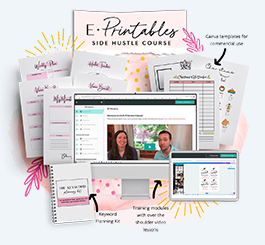
Free Training: Earn Money Selling Digital Printables
Not sure what to create or where to start? Gold City Ventures’ free workshop walks you through what sells, how to design it, and how to get your first sale
What You’ll Need to Get Started
Here’s the honest cost breakdown:
You need a free Canva account (Canva Pro at about $13/month is nice but not essential to start). If you’re opening a brand-new shop, Etsy now charges a one-time setup fee, usually $15, though it can run up to about $29 depending on your region, and you’ll go through a quick ID check to open. After that it’s $0.20 per listing, and your transaction fees come out of sales revenue. So there’s a small startup cost, but it’s still low.
One cost that’s easy to forget while you’re focused on getting started: once real sales come in, that income is taxable, and Etsy doesn’t withhold anything for you. Etsy Seller Taxes: What You Actually Owe covers what you’ll owe, which of these fees you can deduct, and how much to set aside so it doesn’t catch you off guard later.
If you want structured training, Gold City’s paid E-Printables course runs $247, and they sometimes discount it for people who join through the free workshop first. But the free workshop on its own is a solid starting point, it’s the one I’ve been through, and it’s enough to understand the business model before you spend anything.
Even with the setup fee, it’s one of the lowest-cost ways to start a real business. That’s hard to beat.
Printables are just one of 25 ways to make money selling digital products.
The Honest Take on Selling Printables on Etsy
I want to be straight with you. This isn’t a get-rich-quick thing.
You’re probably not going to list three products and make $1,000 in your first week. Some people do, but they’re the exception, not the rule. What’s more realistic is that you build a focused shop, learn what your audience wants, and gradually grow your sales over a few months.
But here’s what makes this worth it: once a listing is live and ranking in Etsy search, it can keep selling for months or years without you touching it. You’re not trading time for money. You’re building something that earns while you’re not working, that’s really what passive income from printables looks like once it’s established, not overnight, but genuinely hands-off later.
And the startup cost is tiny. There aren’t many side hustles where you can say that honestly.
If you’ve been thinking about this for a while, stop thinking and start doing. Watch the Gold City Ventures free workshop, open a Canva account, and list your first product this week.
You’ve got this.
Recommended reading:
- How to Sell Printables Online
- Printables to Sell on Etsy
- How to Make Printables to Sell
- How to Make Printables in Canva
- How to Price Printables on Etsy
- If I Were Starting an Etsy Printables Shop Today
- Gold City Ventures Review

